How to Use KeywordInsights.ai to Find Keyword Ideas
 Written by James Parsons • Updated April 15, 2026

Sometimes it seems like there are a million different tools out there for keyword research, and that's partly true. A lot of those tools are just glorified dashboards showing you data white-labeled from Google, Ahrefs, Semrush, or another of the Big Data tools, but there are also plenty of others out there approaching the topic from unique angles.
Keyword Insights, at KeywordInsights.ai, is a fairly new AI-powered tool for keyword research, topic ideation, and general pre-writing research. How does it work and how can you use it? Let's dig into it.
Key Takeaways
- Keyword Insights offers keyword discovery, clustering, search intent analysis, and AI writing tools for content research.
- The clustering feature groups related keywords into topic clusters, helping content gain more ranking power collectively.
- Search intent classification labels keywords as informational, commercial, or transactional, helping match content to user needs.
- Pricing starts at $58/month with a credits system; a $1 one-week trial offers 600 credits for testing.
- Before clustering, filter out irrelevant keywords to avoid wasting credits on redundant or unnecessary data.
Table of Contents
What Does Keyword Insights Do?
First, let's take a look at what Keyword Insights can do.
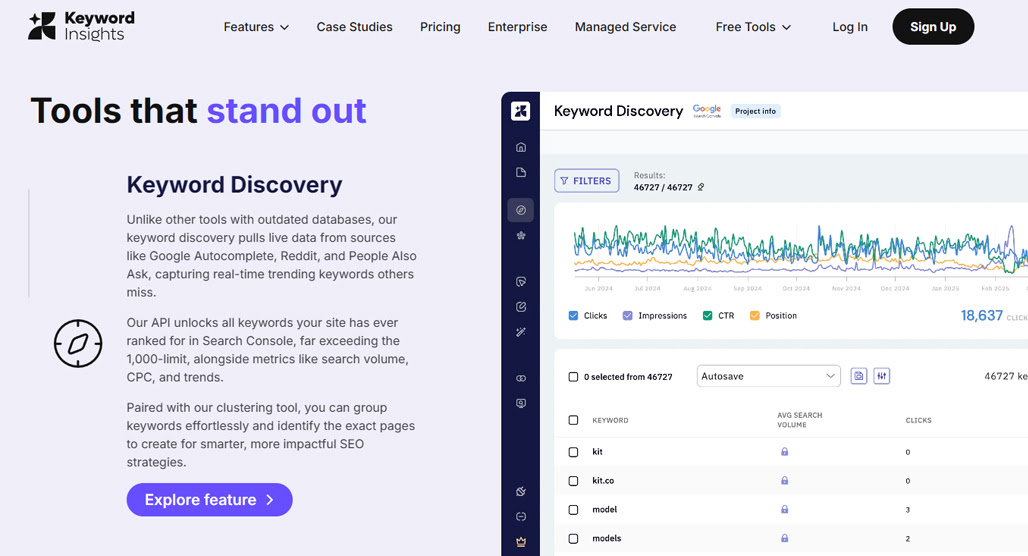
Keyword Discovery. The first major feature is their keyword discovery tool. This tool pulls keyword information from the usual suspects, namely sources like Google's autocomplete, Reddit topics, the People Also Ask boxes, and similar sources. There's nothing too unusual here, except the post-processing they do on the data to surface keywords for you.
One potentially useful aspect of this feature is its API, which can dig deep into the Google Search Console and pull keyword data you've ranked for beyond the normal limits of data Google provides. Is that useful data? That's up to you.
Keyword Clustering. Keyword clustering is a very useful process in modern marketing. It's harder than ever before for singular blog posts to stand alone and gain traction, but when they're supported by a network of related content in a cluster, the whole thing gains a lot more power to rank and grow than the individual pieces in the cluster.
The Keyword Insights clustering tool takes the keywords you get from the discovery tool and groups them into clusters. You can then use those clusters to either fuel single pillar posts that cover all of the related topics or whole content clusters that encompass the entire subject.
Keyword Insights claims this tool uses information reflective of how Google internally clusters topics, which is part of their semantic indexation and understanding of language. Whether the data comes directly from analysis of Google or just from an understanding language powered by LLMs in general, I couldn't tell you. It all kind of converges on the same thing anyway.
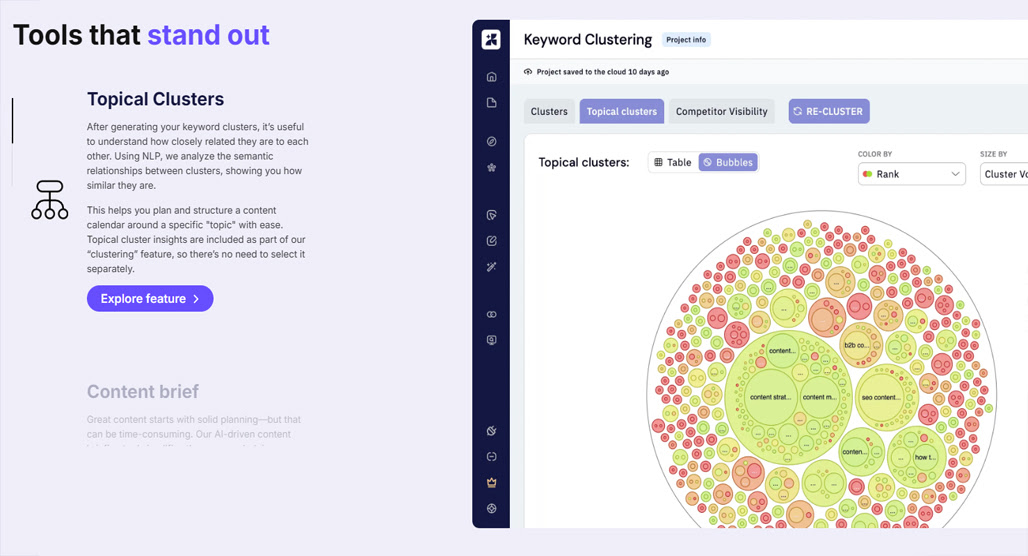
They also have a topical clusters feature, which is like clustering for clusters. This can give you a broad, top-level overview of the kinds of topics you're covering and the relationship between different clusters, which can help you both in keeping your topics related to one another and in avoiding too much overlap and duplication.
Search Intent. I'm a big proponent of analyzing the intent behind searches because the reason people search can be more important than the actual words being used. Search intent has a huge impact on how well you can rank for a keyword, and matching your content to the search intent behind the query is essential.
The Keyword Insights search intent tool will take your keyword list and analyze the intent behind each keyword. It will classify them in the standard paradigm, using categories like informational, commercial, transactional, and other, for you to explore.
Handily, they also provide API access to this information, so if you wanted to build an applet to upload keywords and populate a spreadsheet with intent data without going through their UI to do it, you can do so.
AI Writing Tools. As you might imagine, as an AI-based marketing platform, Keyword Insights is also built around using its LLM generative tools to do the work for you. They have a content brief generator, a writing assistant, and a full article writer.
Since I'm here to evaluate the keyword and idea generation, not the content generation, I'm not going to dig into these features. LLM generators are everywhere today; you can form your own opinion on them.
What Does Keyword Insights Cost?
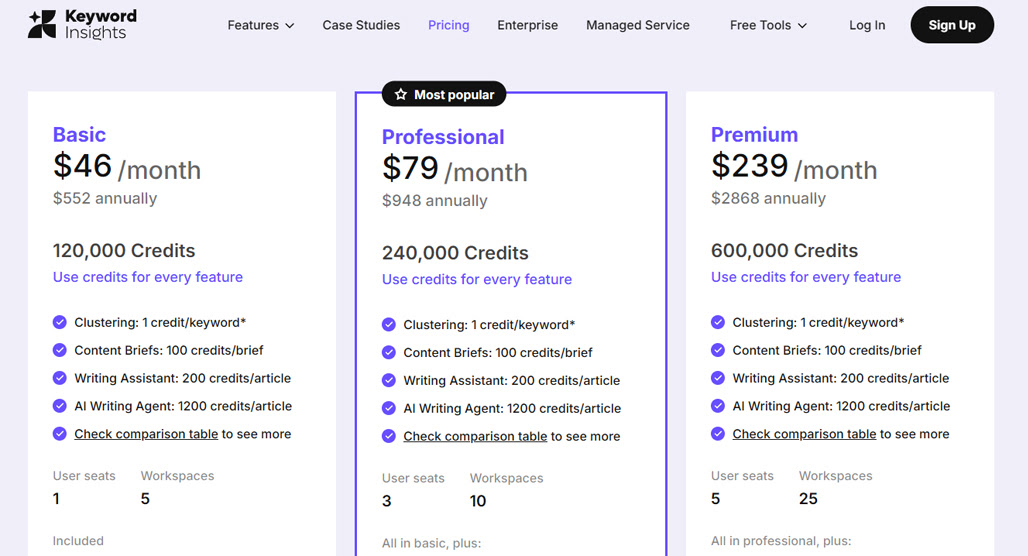
Keyword Insights has five plans with the usual array of limits that increase across the tiers.
For raw pricing:
- Basic: $58 per month
- Professional: $99 per month
- Premium: $299 per month
There's also a 20% discount if you pay annually instead.
What do you get?
The main difference is the number of credits you get. Keyword Insights uses a credits system, and each feature takes a certain number of credits. Clustering is one credit per keyword clustered. Searches through Keyword Research are 10 credits per order. Search Intent classification adds one credit per keyword. Content briefs are 100 credits each, writing assistant is 200 credits per piece, and the full writer is 1,200 credits per article.
With the Basic plan, you get 10,000 credits. Professional is 20,000 credits, and Premium is 50,000 credits.
All of the plans draw from the same data sources. They all look at competitor visibility, all do topical clustering, all do rank checking for clusters, all can import data from the search console, and all can export cluster data.
The Professional and Premium tiers also offer a single free re-clustering, the option to import keyword difficulty data from another platform, and organizational folders for your projects. They also get slightly higher limits on things like keyword overlap analysis. For some of their deeper data analysis, the higher plans also include domain and page authority analysis, search analysis on news, video, and shopping, tablet device selection, and deeper digging into SERPs.
Basic is also watermarked, in case you're pulling reports and want to share them with clients.
Finally, business-class features like the number of workspaces and user seats increase per tier (1/3/5 for seats, 5/10/25 for workspaces), and only Premium gets team reports, the public API, and a customer success agent. Basic also doesn't get access to customer support via live chat, only an AI agent.
Now, up above, I said they have five plans, but I've only talked about three. What are the other two?
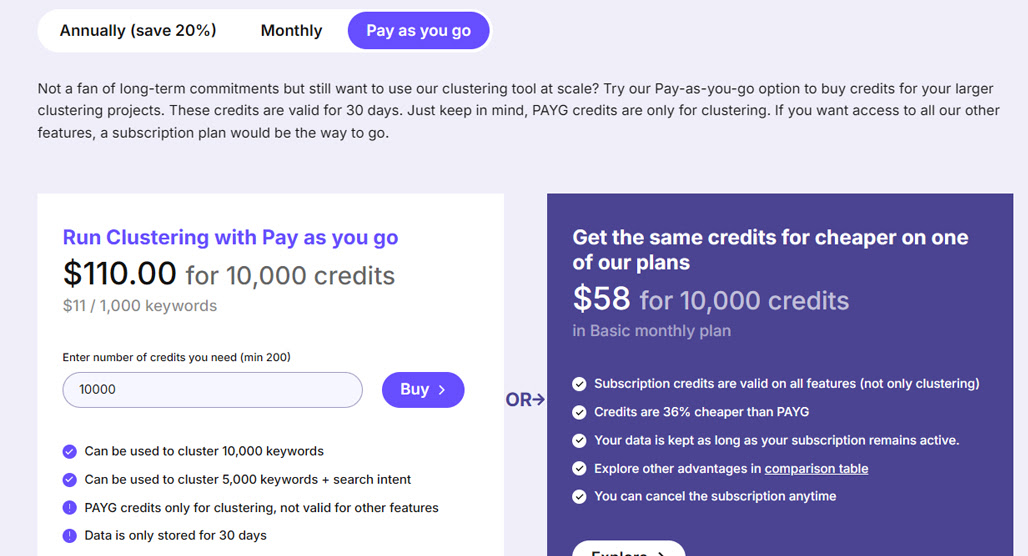
One is Enterprise, which is your usual "talk to us and we'll give you higher limits for a price we can agree on." The other is a pay-as-you-go plan where you just buy credits as you need them, for around twice the cost of the equivalent amount in a monthly plan. The PAYG plan also purges data after 30 days, so it's really meant for one-off use, not long-term low-level use.
How to Make Use of Keyword Insights for Research and Idea Generation
Now that the groundwork is out of the way, how do you put this tool into practice?
Step 0: Decide on a Plan
In my view, if you're just testing out the tool, you have three choices.
First, you can buy a chunk of credits with the pay-as-you-go plan. This gives you access comparable to the basic plan, but if you're getting a small number of credits, it will be cheaper initially. 500 credits (enough to play around with) is only $5.50.
Second, you can subscribe to the trial plan. The trial plan is just $1 for one week of access and gives you 600 credits. It's not enough for the AI writing stuff, but it's plenty to use to get a feel for the topic research and clustering.
Third, you can just subscribe for a month with the basic plan. If you think you're likely to keep the ball rolling, this would be the option I'd pick.
Step 1: Integrate Your Data
This step is technically optional, but access to direct data from your site is very helpful for more enhanced results. In the Keyword Discovery section, before you do any discovery, you can add your Google Search Console authorization to let them import your data.
To do this, you'll need to plug in your website and associated Google account, then verify and import your data. Depending on how large and old your site is, this can take a while to import, so be ready to go grab a coffee or get lunch while it runs.
Alternatively, you can export your data manually and import it to Keyword Insights, with the process outlined here. Automatic is more convenient, but do what works for you.
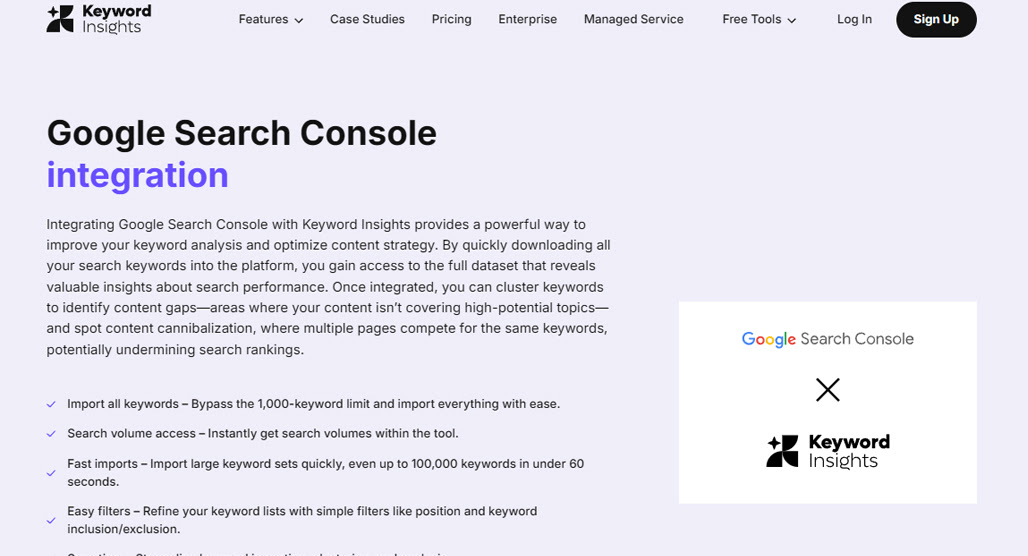
Once you've done this, you get a nice big pile of existing keywords and data without having to spend a bunch of credits to get it, so it gives you a head start on the rest of the process.
You can also just import a bunch of data you export from other tools manually. Personally, I think if you're already using Ahrefs or Semrush, you probably don't really need Keyword Insights, but it's up to you to decide what works best for you, so feel free to explore if you want.
Step 2: Use Keyword Discovery
Next, you'll want to go to the Keyword Discovery tool.
For this, you'll need a seed keyword and some accessory data. This should be a reasonably high-level keyword, not necessarily something as generic as "content marketing," but not super long-tail either. The accessory data is things like a folder you want to store the results in, and the geographic location and language you want to use.
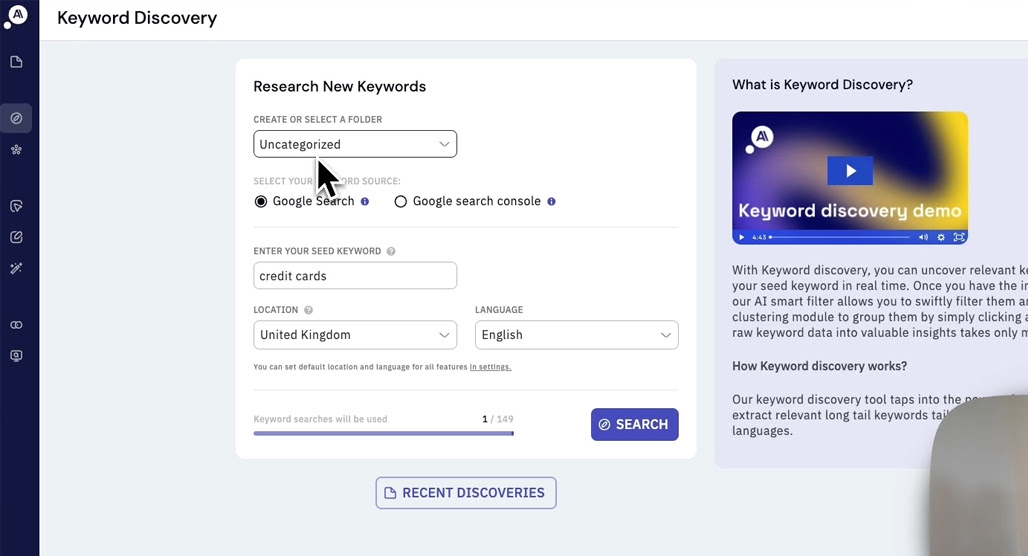
Run this search, and the AI will go out and scrape the SERPs and analyze data from Reddit, Quora, and Google itself.
You'll be given a keyword list of related keywords and some data, like estimated search volume. You can see and export the full keywords list (not a bad idea), and you can explore the SERPs the tool scraped, and even see some trending data for your keyword. You can also view the list segmented by the source, like whether it came from Quora, the People Also Asked box, or Google Autocomplete.
Click through to the full keyword list, and you'll be able to see data about the keywords for a fee in credits. You can also click to select keywords in the list to generate a smaller list to save or further analyze each keyword. Be careful here because you can easily burn through all your credits in short order by analyzing a bunch of unnecessary keywords.
At this point, you can decide if the seed keyword and the keywords that Keyword Insights generated are worth pursuing or if you want to start over with a new seed keyword.
Step 3: Cluster the Keywords
The good news is, clustering keywords from the keyword results is super easy: all you do is click the "cluster keywords" button.
Before you do, though, go through the keywords list and filter out anything that's not relevant or necessary. The Keyword Insights tool is powerful, but it also generates a decent amount of overlap and chaff, and you'll waste a bunch of credits on redundant data if you don't filter it first.
Fortunately, they provide some easy filters here, too. You can narrow by sources, by monthly search volume, by estimated CPC, competition, and a couple of other filters. Some of it depends on what data you have available, so apply the most relevant filters and proceed.
You'll be asked to create a project here, which is the same accessory information from before, but also asks if you want to get keyword ranking data, a domain to target for analysis, whether or not you want to gather search intent, and some other advanced settings. These choices mostly come down to whether you want to spend the extra credits on deeper analysis. I recommend search intent, while the ranking data is a little less generically useful.
Step 4: Explore the Results
At this point, you have all the data you need and can start making decisions.
Evaluating the cluster results is where I would start. Each cluster gives you an overall estimated volume for the cluster, the context and intent, and the top-ranking URL for content in that cluster. You'll then be given the list of keywords for the cluster, one of which will be highlighted in green. That's your primary keyword for the cluster, the one you would make the focus of your pillar post.
You can also view all of this data in a spreadsheet if you want. I find the visuals more attractive, but if you want the raw data to export, go for it. The visuals give you a dot map with relationships, relevance, and coverage, which can let you see at a glance where you should focus your efforts.
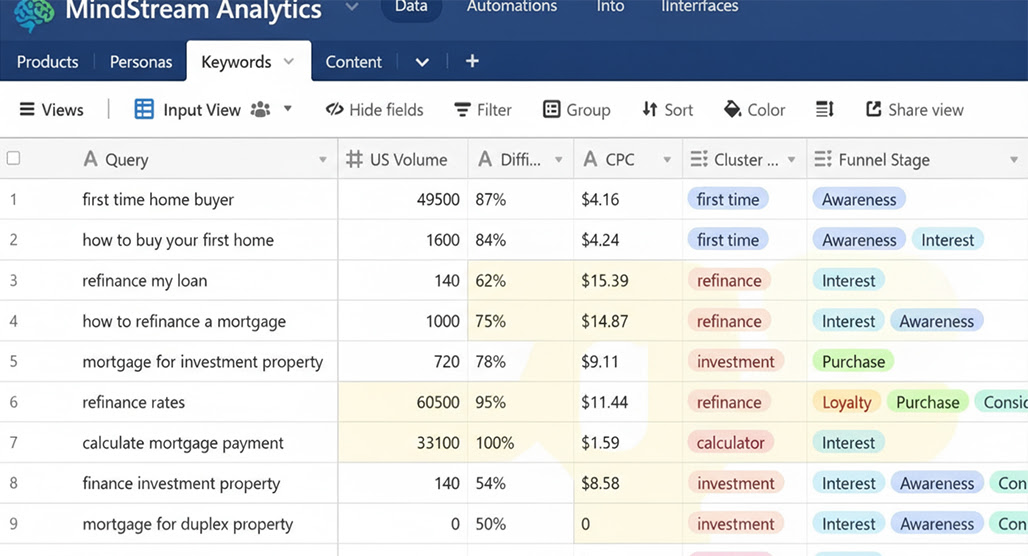
The other thing to look into is intent. If you didn't spend the credits to evaluate search intent, you won't have this data, but it's very useful to have it, so I recommend it.
At the outset, this will give you a deeper understanding of each keyword, so the clusters will be more accurate. It also provides intent data in the spreadsheets.
Note that this data is slightly tricky to interpret. Basically, they give you three columns of information: Article, Product/Category, and Other. The sum of the three will be 10, which is the number of results in the SERPs for the keyword.
These correspond to Informational, Commercial, and Other for search intents. The number in the Article column is the number of results that are informational, and the number in the Product/Category column is the number of transactional results, and Other is Other.
So, if a keyword has a 10 in the Product column, you can bet that the keyword is highly transactional and not suitable for a blog post. Conversely, if it's 10 in the Article column, it's best suited for content marketing. If it's split, it's a mix, and maybe an opportunity.
Use this information to filter out keywords that don't match the kinds of pages you can provide. A 10 in transactional means if you're not making a product page or landing page, you're going to have a hard time ranking, so it's probably better to set that keyword aside.
Step 5: Get to Work Creating Content
Armed with content clusters, relevant keywords for those clusters, intent data, and enough volume and competition information, you can start picking projects to work on. From here, it's all about developing your content idea and spinning it out into a pillar and cluster model. Whether you use their AI features to do it or put the human touch in it is up to you.

If you aren't using the generative content AI, this is where your use of Keyword Insights is going to end, at least for any given project. Export your data and push it over to whatever other process you have for generating content briefs, hand it over to your writing team, or just get started writing.

Related Posts


Leave a Comment


Fine-tuned for competitive creators
Topicfinder is designed by a content marketing agency that writes hundreds of longform articles every month and competes at the highest level. It’s tailor-built for competitive content teams, marketers, and businesses.
Get Started