Where Are the Best Places to Put My SEO Keywords?
 Written by James Parsons • Updated April 15, 2026

Marketers everywhere will tell you that keywords are essential to SEO. There are a million guides on how to find keywords. Most of those guides, though, end on a line like "now that you have the keywords, all you need to do is use them."
Use them how? Where? Where should you put your keywords for the most impact, and are there places you could put them that would hurt more than they help?
I wanted to make a definitive guide to using keywords in terms of pure mechanics. Where do you put your keywords? Read on to find out.
Key Takeaways
- Keywords belong in three location categories: fully visible (titles, body), partially visible (meta tags, URLs), and invisible (alt text, schema).
- The H1 title and meta page title are highest-priority keyword placements, though they don't need to match exactly.
- Avoid using identical keywords in every subheading; variations and cluster keywords are preferable to prevent appearing template-like.
- Meta keywords are completely obsolete - Google explicitly states they have zero effect on indexing or ranking.
- Following keyword placement checklists too rigidly can signal algorithmic content to Google, potentially harming rather than helping rankings.
A Note on Checklist-Style SEO
Before I dig in, I want to preemptively make a note.
I'm going to essentially give you a list of all of the places where you should be using keywords. But that list will be dangerous.
Google is a very sophisticated machine these days, and it's very adept at analyzing patterns.
If you follow a pattern too closely, for too long, Google will notice. Moreover, there's a chance that they'll use that pattern as evidence that you're breaking some kind of rule.
Most likely, the rule they would think you're breaking is something about algorithmically generated content. If every post on your site matches the same pattern, it starts to look a lot more like a robot made it than a person, and that's technically against Google's rules.
Will you get a manual action or deindexing from it? Probably not.
Will you have a harder time ranking and a lower SEO value because of it? Maybe.
So, don't use the list below as a checklist to slap your keyword in every segment. Use your best judgment, use keyword variations and natural language, and change things up from time to time. I guarantee you that the minor hit of not using a keyword in one particular subheading will be much less damaging than getting Google's negative attention for too template-like content across the board.
As always, these things are variable as well. Google's algorithms change over time, the way they see and interpret patterns changes over time, and even the way you might want to use keywords can change alongside it all. I'll do my best to give best practices and to keep this guide updated, but let me know in the comments if you have anything that refutes a point I make or signs that something has changed.
Three Places for Keyword Usage
No, there aren't just three places you can use keywords.
Rather, I tend to think of keywords being used in three different categories of locations.
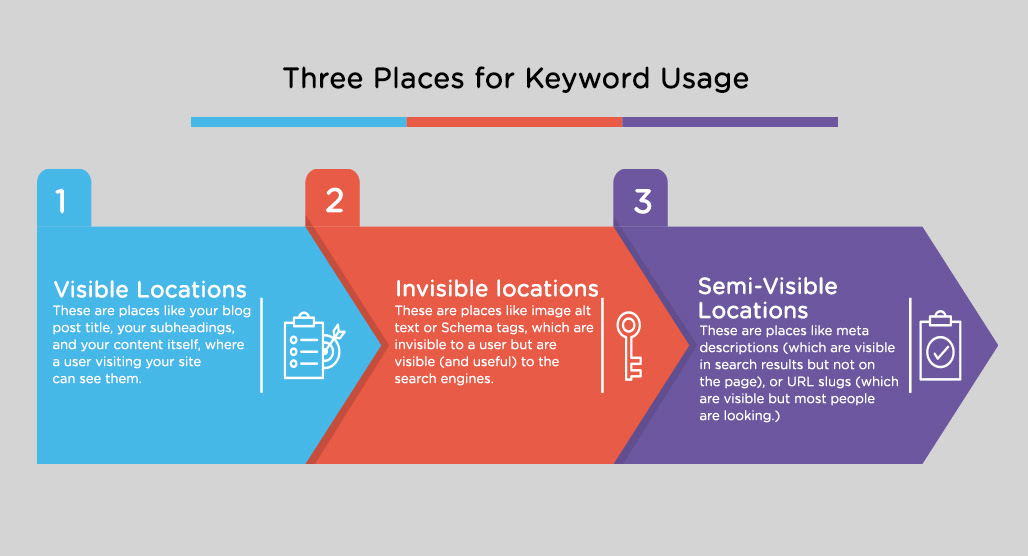
First are the visible locations. These are places like your blog post title, your subheadings, and your content itself, where a user visiting your site can see them.
Second are the invisible locations. These are places like image alt text or Schema tags, which are invisible to a user but are visible (and useful) to the search engines.
Third are the semi-visible locations. These are places like meta descriptions (which are visible in search results but not on the page), or URL slugs (which are visible but most people are not looking at them).
I'm going to break things down by these three categories for ease of analysis. Note, too, that I'm going to go through every place it's possible to put a keyword, not just places you should put a keyword.
Category 1: Fully Visible Keywords
First, let's talk about the fully visible keywords. These are the keywords that are expected to be visible to your readers and are part of the content you create.
Page H1 Heading/Title
Priority: High
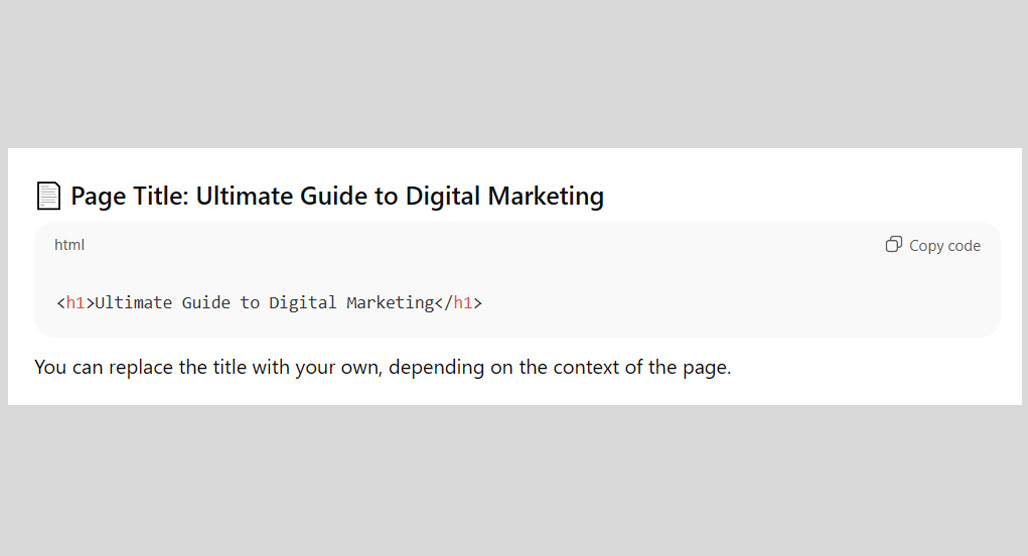
The H1 is the title of a blog post, visible at the top of the page, in big, bold font. It's a huge banner telling a user what the content of the page is about, and it's one of the most critical pieces of information on a site. Putting your primary keyword in your H1 title is a no-brainer, and it's the basis of most keyword research.
There is one quirk to this: many people consider the H1 title and the Meta title to be the same thing. On many websites, they are! But, they don't have to be, and savvy marketers can change them up.
Last year, marketers asked Gary Illyes whether or not the H1 and Meta Title needed to match. Gary's response:
"No, just do whatever makes sense from a user's perspective."
The way I see it, the meta title (which I'll discuss specifically later) is for attracting the user from the search results. Meanwhile, the H1 title is about clarifying what the page is about once they're already here. Usually, I make these two purposes match, but sometimes, it can be better to individually optimize them both. If your title is running long, it's worth knowing what to do when your title is too long for the Google snippet.
Either way, putting your keyword in the H1 title is essential.
Page H2 and H3 Subheadings
Priority: Moderate
Throughout your blog post, you'll have subheadings that clarify the purpose of large sections of the post, as well as sub-sections of the post. Technically speaking, heading codes can go all the way down to H6! Realistically, though, you're pretty rarely going to use anything lower than H3.
In my view, if your post is expansive enough to need H4, H5, or H6, you'd be better off breaking it up into multiple posts. But that's neither here nor there.
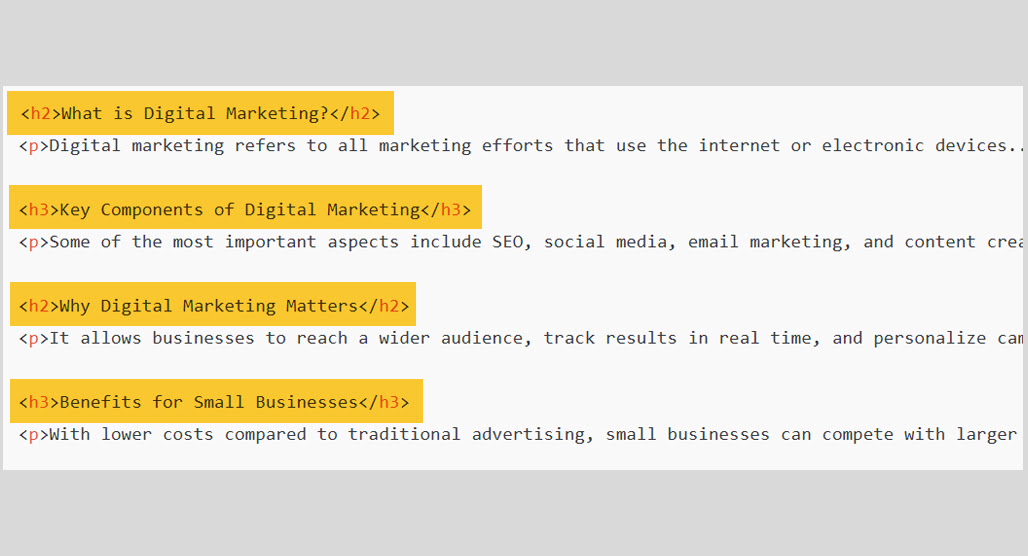
Using your keyword in your subheadings and your sub-subheadings (H2 and H3) is important and useful, but I advise against using it identically in every tag. That's because if every subheading has the same keyword in it, it's going to come across as artificial and can turn off some users.
For example, I could have formatted every H3 in this post something like:
- Putting Keywords in Page H1 Tags
- Putting Keywords in Page H2 and H3 Subheadings
- Putting Keywords in Page Body Content
…and so on. But I don't think it would add value to do that, so I haven't. For some blogs and some topics, it's a good idea; for others, maybe not. Use your best judgment.
I put the priority for this one at moderate because it's a good idea to have some kind of keyword in your headings, but shoehorning in the same primary keyword in every one can be detrimental. Instead, use keyword variations or part of your cluster keywords, especially if you're linking out to more complete guides in those sections.
Page Body Content
Priority: High
Putting keywords in the body of your post is critical. But it's also not something you likely need to go out of your way to do. Simply through the act of writing about a topic, you'll be using the keyword. If you have to struggle to fit it in, maybe you aren't actually writing about that topic, and should rethink your content.
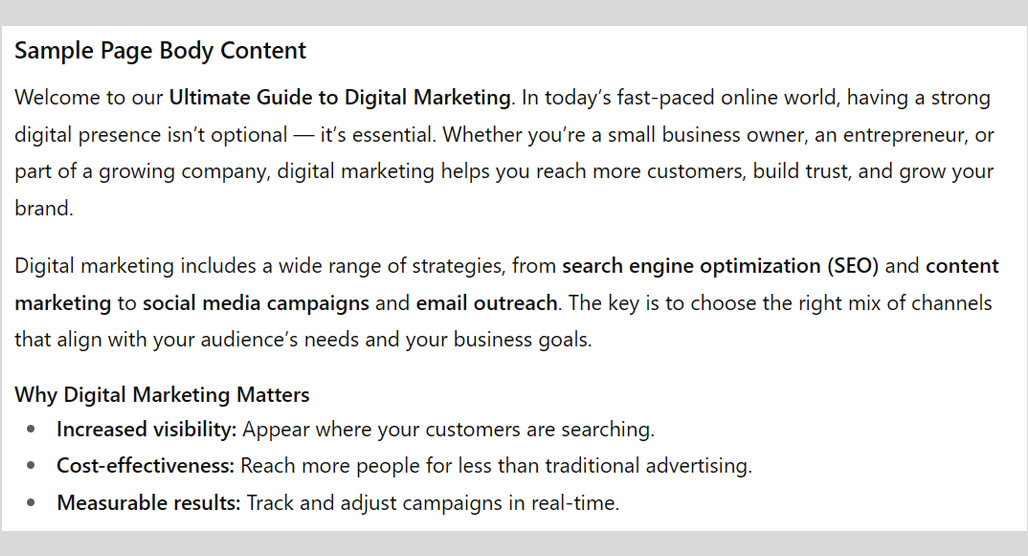
It's also worth considering that not all body copy is created equal. The above-the-fold body copy, like your intro paragraph, is a better place to put your primary keyword than somewhere down in the middle of the page. It's not a huge difference, but it's enough that it can make or break the user experience for one in a thousand visitors, and that's meaningful enough.
Does Google give more weight to a keyword if it's in the introduction paragraph versus lower down? Maybe. I don't think it's a huge difference if they do. Putting the keyword up top is valuable for your readers, though, who will read your opening paragraphs to make sure the content is actually about what they want to read. There are also other reasons Google may not rank your page for a keyword even when it appears throughout your content.
Image Captions
Priority: Low
Worth noting here that image captions and image alt text are not the same thing. Alt text is meant for screen readers and for something to display if the image fails to load. I cover it down in the invisible locations section.
Captions, meanwhile, are the visible text overlaid on or beneath the image. Alt text describes the image; captions augment the image.
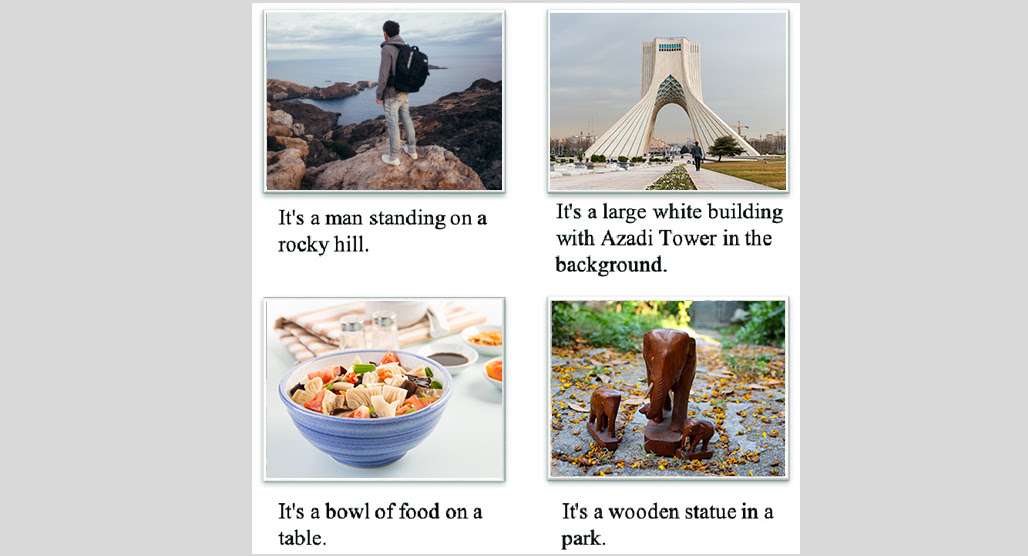
Using a keyword in the caption for an image can be potentially useful, and it's not terribly likely to hurt you unless it's clearly stuffing and not actually related to the content of the image. Personally, I don't use captions at all, and I don't think adding them to my blog would have a significant impact.
Priority: Low
Breadcrumbs are navigational elements at the top of and/or bottom of a blog post.
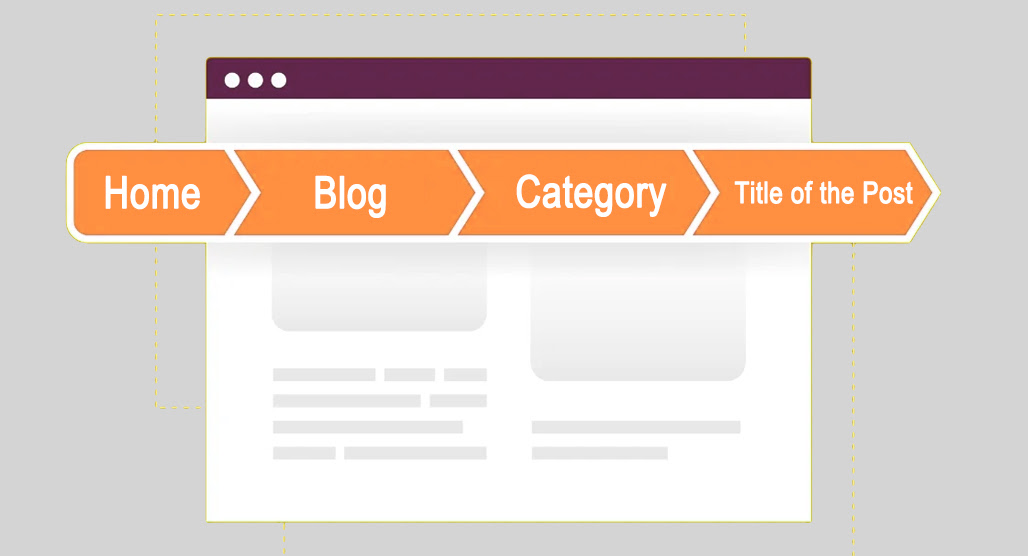
They'll generally look something like:
Home > Blog > Category > Title of the Post
Each one links to what it says: your homepage, your blog index, your category index. The blog post title doesn't need a link because the user would already be on that page.
Can you add keywords to this? Technically, yes, but it's only going to be top-level keywords. For example, if the category was PPC Resources, then the keyword "PPC Resources" would be in the breadcrumbs.
Since breadcrumbs are meant for on-site navigation, they function more like internal links. And, since you need the same breadcrumbs across numerous posts, trying to use them to specify long-tail keywords won't work.
The only place a longer keyword will fit is in the final end of the breadcrumb, which is just a repetition of the blog post title, so it doesn't add much to the experience. Take it or leave it, I say.
Category 2: Partially Visible Keywords
Next, let's talk about the semi-visible keyword locations. These are places where a user could see if they wanted, without doing something like opening up your page source code, but they usually won't. Alternatively, they're places where the keywords are displayed outside of your site, but not on your site itself.
Website Domain Name
Priority: Low
Domain name is the part after the http://www. and before the .com/org/biz/info/whatever. For this site, it's TopicFinder.com.
Should you put a keyword in your domain name?
Doing so is something called an exact match domain, or EMD. EMDs are tricky. Many years ago, before 2012, EMDs were very powerful, and a good EMD could be worth tens or hundreds of thousands of dollars even without a website attached to it.
In 2012, Google decided that EMDs were more often spammy than not. They went through and penalized millions of low-quality websites that relied more on their domain name than their content to rank. For years afterwards, marketers shied away from EMDs, calling them toxic to a website.
Over time, the dust settled, and the reality became clear. EMDs are fine, and even beneficial, if the website supports it. You can use an EMD just fine, especially if it's for a top-level keyword, and if your site is a robust resource focused on that topic. If your EMD is incidental, though, it's more likely to hurt than it is to help.
Truthfully, I probably could have gotten away with not including this on my list at all. None of you are going to go out and change your domain name just to add a keyword, right? You lose too much in a meaningless change like that.
If you're starting a new site, and you want to center it around a niche and have an EMD that fits, go ahead and use it. As long as your site content is good, it will help you out. It's also worth thinking about whether having two different topics on one website could dilute the focus of your domain.
Page URL Slug
Priority: Moderate
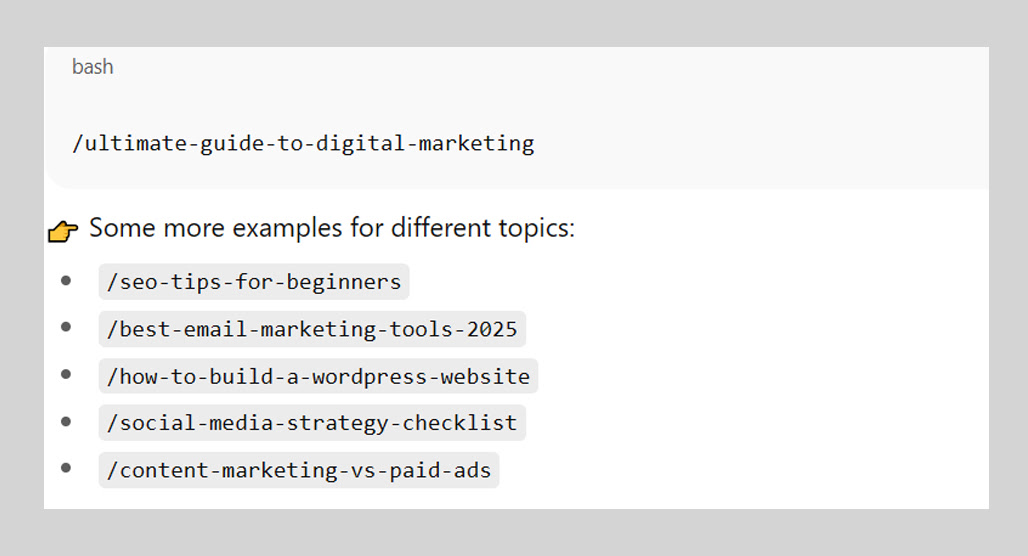
The URL slug is the stuff after the .com/org/biz/info/whatever in your URL. This is technically visible to a user if they look at their address bar, but most users ignore it. It's also much harder to see it on mobile devices.
For the post you're reading right now, the URL slug is probably something like best-places-SEO-keywords. It encompasses the main keyword I'm targeting with this post.
I consider this a relatively high-priority place for keywords, but only a moderate priority for implementation. Why? Two reasons.
First, this is semi-automatic. WordPress, for example, generates the URL slug from the page's meta title (or H1 title, if you aren't specifying a meta title manually). While you can manually change it, you usually don't need to if you're already using the keyword in your titles.
Second, this is a little less valuable than it used to be. Years ago, Google's search results would show you the full URL (or most of it, if it was really long) in the search results. Today, they have something more like the breadcrumbs instead. The URL slug isn't really displayed.
So, consider this to be more beneficial to Google's bots and less beneficial to people. It can be worth paying attention to make sure it fits, but it's not usually worth jumping through hoops to optimize.
Meta Page Title
Priority: High
The meta title of the page, I consider semi-visible. It's meta code, but it's the title that displays on a browser window's title bar or tab title bar, and it's the title that appears in Google's search results, as well as embeds of your site on other sites (unless you specify that differently; see the social media embed code bit later.)

The meta title is perhaps one of the most important places to put your keyword, for two reasons.
The first is because it's one of the key elements of HTML, and it's one of the main pieces of data Google looks at to identify what a page is about.
The second is, as mentioned, it's what a user sees as the big blue heading in a Google search result. It's no understatement to say that a good title can make or break whether or not people click on your page at all. Using power words in your blog post titles is one way to improve that click-through rate.
The only reason I don't list this as priority: critical is because your CMS will auto-fill your meta title tag with your H1 title if you don't specify it otherwise.
Meta Description
Priority: Moderate
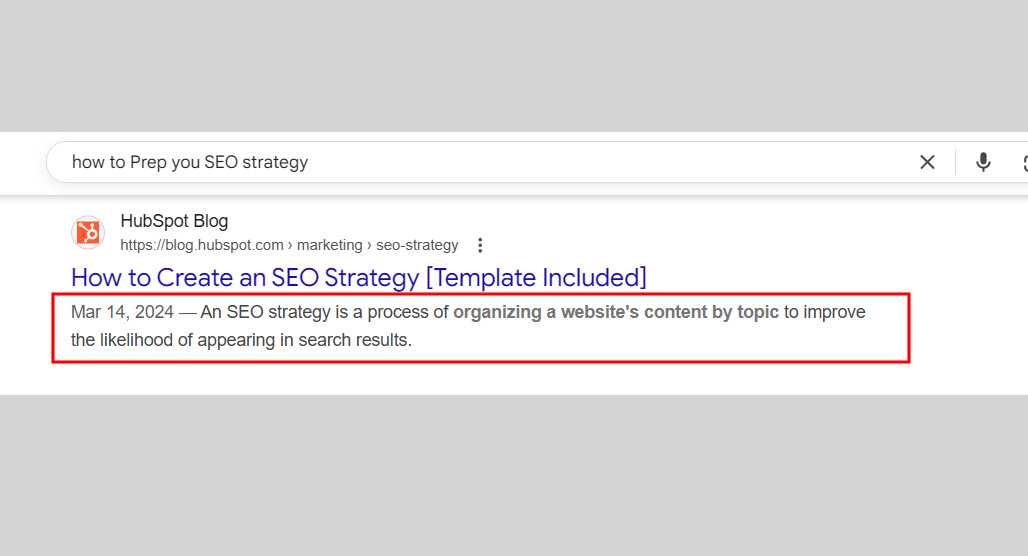
Meta description is the blog of text that appears in search results, summarizing the content of the page. It's an excellent place to put a keyword where it's visible to your audience and can convince people to click through to your page.
So why is it listed as moderate instead of high?
Google will often override the meta description. A couple of years ago, I did a study for my content marketing agency, and while it was a relatively small description, I was shocked to find that only 17% of search results actually used the meta description specified in the website's code. The rest were snippets of the page that Google overrode the description with.
I figure that it's better to specify the meta description than to ignore it, but it's not going to be an absolutely critical, high-priority place to plug in a keyword. Google might just ignore it, and if you have the keyword in your opening intro and key paragraphs throughout, the places Google pulls from will likely use it too.
Social Media Embed Code
Priority: Low
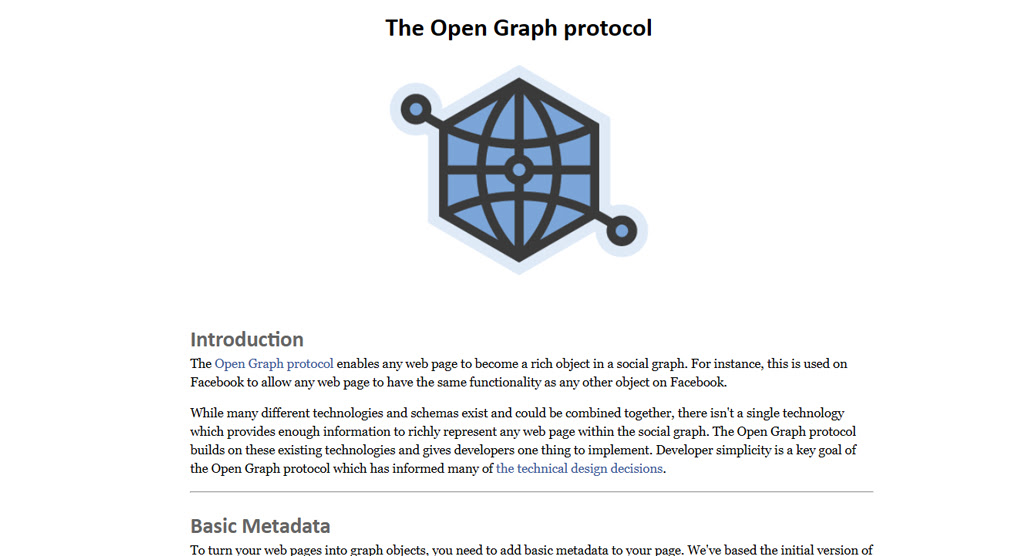
Social media embed code is meta code that determines how your page will look when it's embedded as a link on a site like Facebook, X, or Bluesky. The Open Graph Protocol is the main way to specify this information, but some sites like X have their own protocols as well. Basically, it gives you a chance to specify a secondary title, description, and potentially rich meta information.
This ranges from essential to meaningless, depending on how much you expect your content to be shared on social media and how much control you want over it. Social networks will build their own embed information when you're linked on their platform, so even if you don't specify these tags, your site will still embed, and often just fine using normal meta information. It's only if you want a social network-specific view of your site that you should specify this information and add your keywords to it. If social sharing is a key part of your strategy, you might also want to explore how to automatically post your blog to a Facebook page.
Category 3: Invisible Keywords
Finally, there are the invisible keyword locations. These are places where keywords can be added that are invisible to users (unless they open up your source code), but can be read by search engines, or through the use of special tools like screen readers.
Meta Keywords
Priority: Negative
Back many, many years ago, when search engines were a twinkle in the eye of some tech nerds, finding websites relied on just looking for them in directories and usenets. One way you could figure out what a site was about was by looking at the keywords used to describe it. This eventually was codified into the meta keywords property, alongside meta description and meta title.
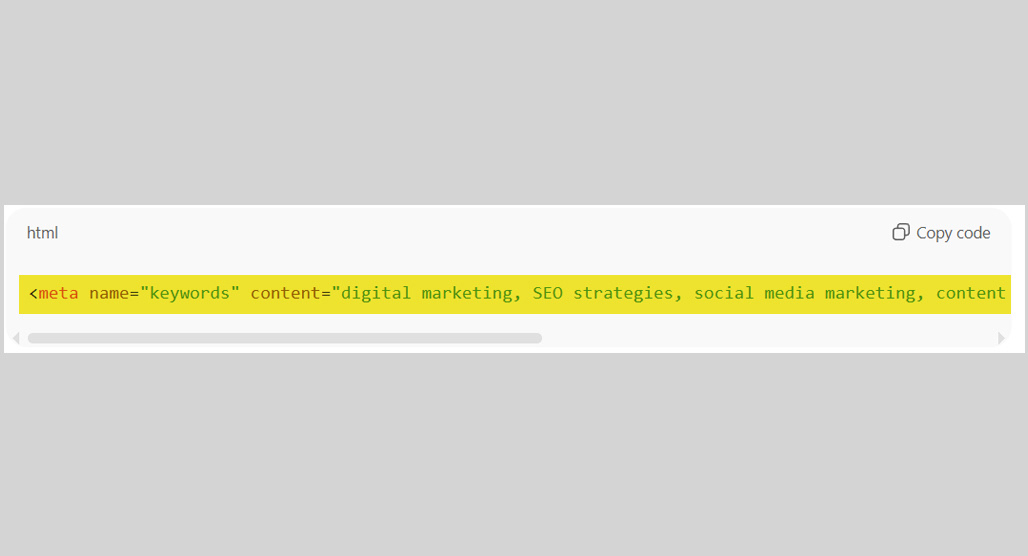
For a while, search engines, when they were invented, could use meta keywords to determine what a site was about, just like we could. Then, as you might expect, people started using the field for immense amounts of low-effort spam.
Eventually, the HTML element was red-flagged as a spam signal and deprecated entirely. Google's help center even says, and I quote:
"The meta-keyword tag is not used by Google Search, and it has no effect on indexing and ranking at all."
These days, even using it at all is a sign that you're either extremely new at this and have no idea what you're doing (in which case, how did you even find it to specify anything in it?) or you're still operating under mid-00s internet rules and haven't updated your knowledge in decades.
Don't use meta keywords.
Image Alt Text
Priority: High (Special)
Image alt text is meant to serve two purposes: to load text in place of an image if the image doesn't load, and as a text-based description of an image that screen readers for the visually impaired can read.
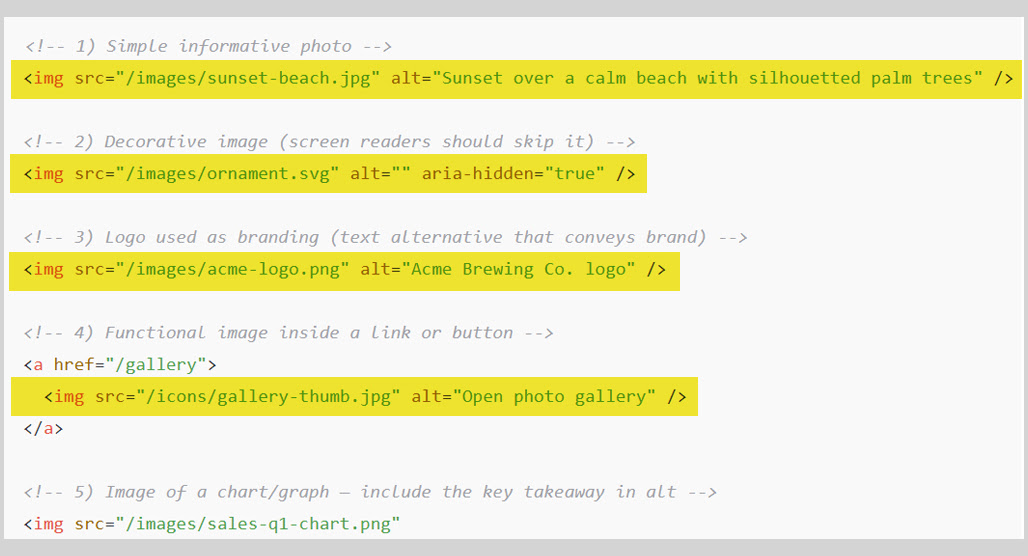
There's a debate here about whether or not you should use this for SEO.
On one hand, it's a piece of meta information that can be relevant both to your post's SEO and to the image SEO for image search.
On the other hand, the visually impaired don't need their screen readers shouting keywords at them, especially if it's not relevant to the description of the image, and it kind of hurts accessibility.
I say: use keywords in alt text, but do it tastefully. Don't assume it's just for a robot, and write it as if it's part of the description of the image.
Image File Names
Priority: Moderate
The file name of an image is an often-overlooked piece of data that can have a surprisingly large impact. It's essentially purely invisible information, since the only way to see it is if the image doesn't load AND there's no alt text, OR by inspecting the image or downloading it directly. Users are generally not going to see it.
Search engines, though, will see the file names easily. That means they're a good place to put a keyword. It can be valuable as part of the context of the post, as the context for the image, and for image search results.
The only reason this is labeled moderate instead of high is that it's a relatively small piece of SEO data for the search engines. Google has been generally working hard to minimize the influence of robot-only SEO and promote user-based SEO, so the invisible factors are generally less valuable than they used to be.
Still, it's easy to implement and can't hurt you, so add it to your workflow.
Schema Markup
Priority: Special
Schema is one of the most powerful recent additions to SEO. There are thousands of different types of Schema, all of which govern specific types of content and provide additional metadata to the search engines. This data can be used for embeds, rich results, and even ranking data.
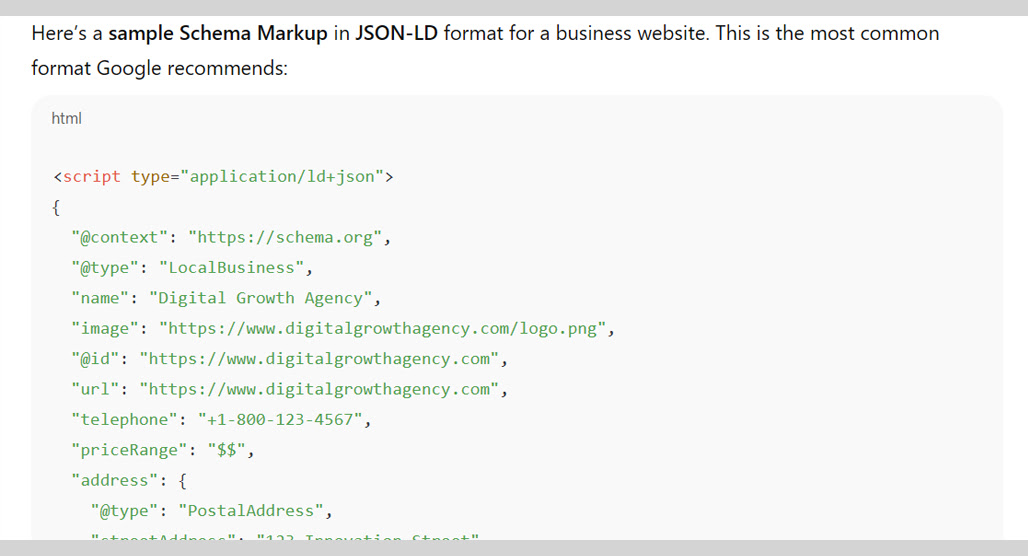
I list this as a special priority because there's not really a formal schema for blog posts that incorporates keywords. Keywords can be used for some specific kinds of schemas, but there's not an easy and acceptable way to use it just to add keywords to your blog posts.
I highly recommend using Schema wherever you can, but for reasons independent of adding keywords to your site.
Hidden Text on the Page
Priority: Special
Hiding text on the page can range from fine to deadly, and it all depends on how and why you're doing it.
For example, an FAQ where questions are listed but answers don't appear until a user clicks the button means those answers are hidden text. Having keywords in that hidden text is fine. It's "hidden" but only until a user expresses interest in it. It's not an exploit.
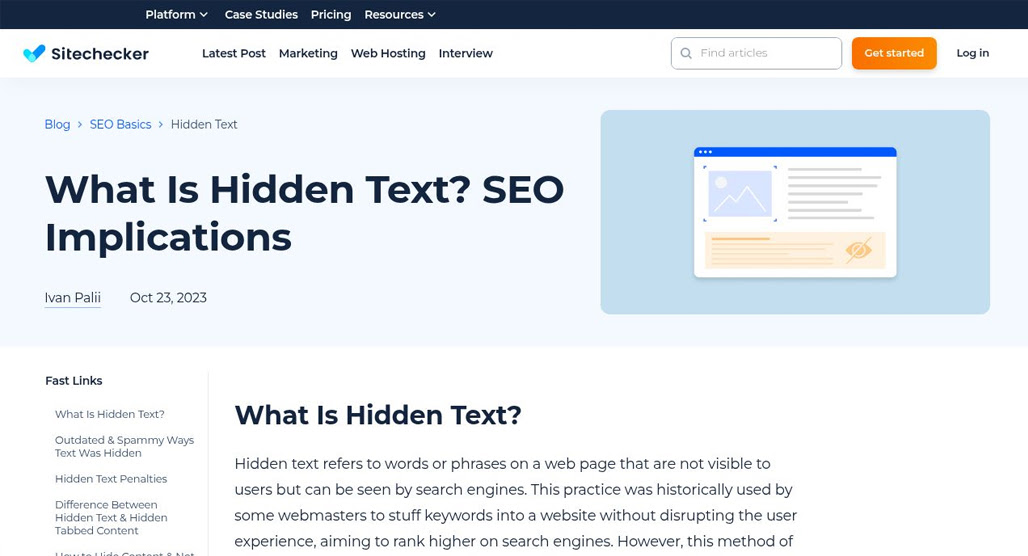
On the other hand, coloring text the same color as your background or putting it in size 0 font or positioned off the side of the screen? Those are spam techniques and are likely to get you penalized.
Hidden text is something to watch out for, but as long as you're not trying to use it as an exploit, you'll be fine. It won't give you specific benefits, though, since it's just more body copy.
Other Keyword Locations
There are a couple of other places where you might use keywords that I want to talk about, but which don't cleanly fit into the other categories.
Link Anchor Text
Anchor text is interesting as part of this discussion.
On one hand, keywords are very important in anchor text, because they're a big part of how the link is described and how a user knows what's on the other end of it.
On the other hand, those keywords aren't for the content the link is in. Why would I link with my primary keyword? I want people to treat the post they're reading as the authority, not go somewhere else, and if I already have content elsewhere about it, then I'm writing unnecessary duplicate content.
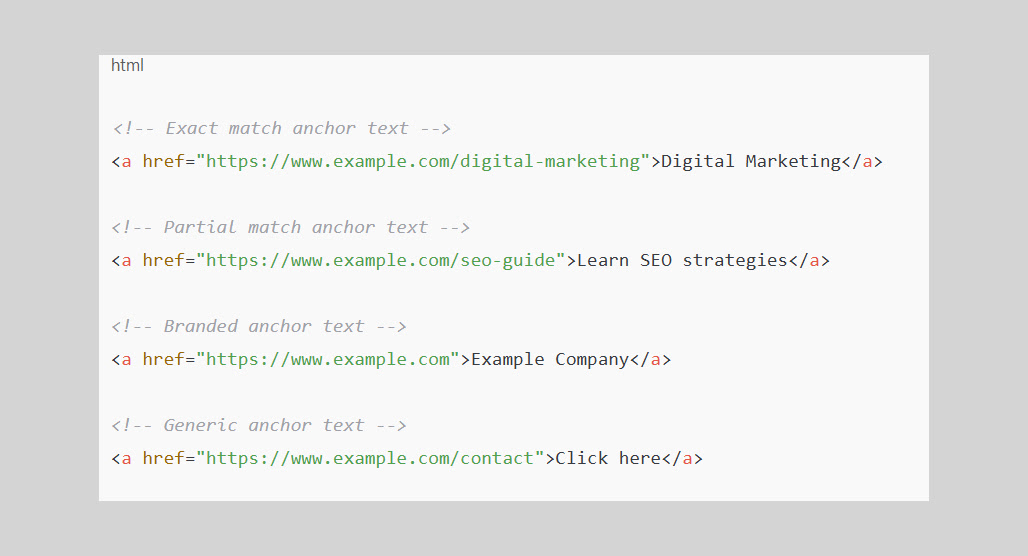
To that end, here's my perspective.
Anchors for links pointing at other domains should have keywords related to that content, but it doesn't need to be specifically the primary keyword for that site. That's SEO for the other site, who cares?
Anchors for internal links should be keywords, but they should be the primary or secondary keywords for the content you're linking to.
Finally, be careful with over-optimized anchors. This mostly applies to links you build on third-party sites, though, so it's less about your keyword usage on your site.
CMS Keyword Analysis Plugins
Another place you can put a keyword is in your SEO plugins in your CMS. Rank Math, Yoast, and other plugins allow you to specify a target keyword for your post.
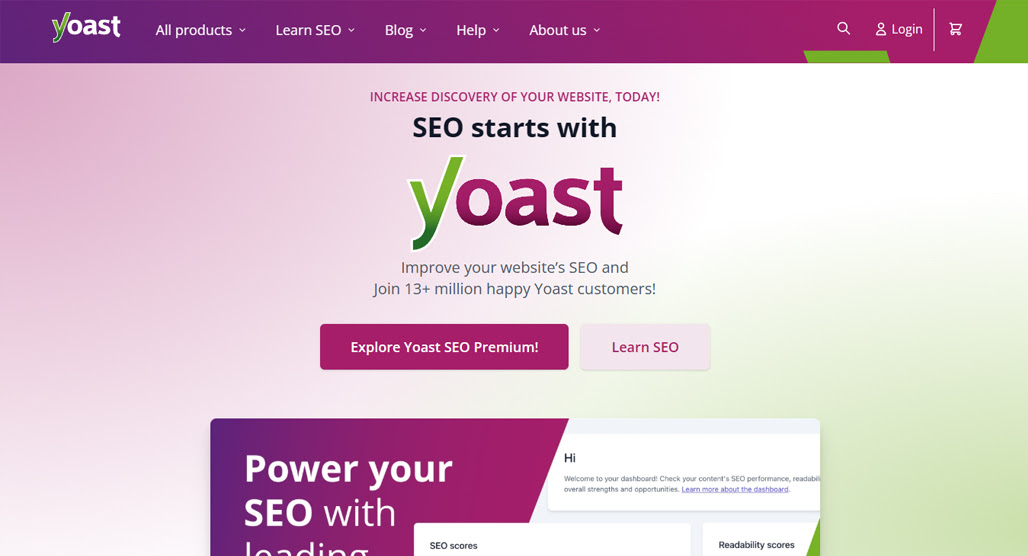
Should you?
That's up to you. This is an internal-only keyword and is not visible to users or to Google. It's part of the tool use to help you optimize your keyword usage, mostly throughout the body copy. If you find that helpful, go for it! If not, don't worry about it.
Business Profiles and Directory Listings
Business profiles and other externally owned media profiles are good places to put some general keywords for your site as a whole, but they're not as good for narrower, more specific keywords for your individual content.
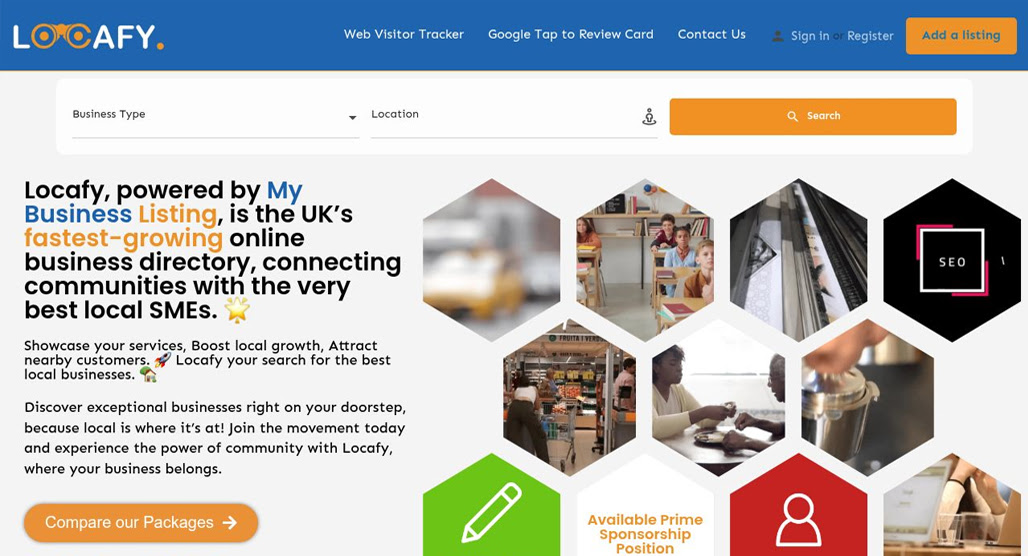
Leave that for things like embeds and embed code, or organic posts.
Natural Keywords for Great SEO
Overall, there are a lot of different places you can use keywords, but the key is more to use them naturally, wherever you use them. Google uses a lot of natural language processing, and if keywords stand out to their algorithms or to your readers as intrusive or out of place, they'll view it in a negative light.
Remember, too, that you want to avoid things like keyword stuffing, which can harm your site a lot more than anything else on this list.

Don't forget that, because of natural language processing, you can use not-quite-keywords and still get the benefit of using keywords. In Google's eyes, "small dog beds" and "beds for small dogs" are equivalent; you don't need to force the overuse of one of them because it's your specific keyword.
Write naturally, for people. Use semi-visible and invisible keywords appropriately. Don't overdo it. Follow those rules of thumb, and you'll be well on your way to an optimized site.

Related Posts


Leave a Comment


Fine-tuned for competitive creators
Topicfinder is designed by a content marketing agency that writes hundreds of longform articles every month and competes at the highest level. It’s tailor-built for competitive content teams, marketers, and businesses.
Get Started