How to Catch Seasonal Keywords Early with Google Alerts
 Written by James Parsons • Updated April 15, 2026


Keywords come in a few different varieties, from the slow-and-steady evergreen to the rapidly surging but short-lived viral. Somewhere in the middle are the seasonal keywords, keywords that have a semi-evergreen capacity to bring you value year over year but only have a short period of each year where they're relevant.
Preparing for seasonal keywords is an important part of modern content marketing and SEO. The older your site is, the more content you'll have built up and have ready for those seasonal surges, but until you need to get there somehow, writing Christmas-focused articles in February is not the way to do it if you want to capitalize on those surges of traffic when they happen.
For some people, the keywords and topics are generically identifiable enough that it's easy to plan ahead. Obviously, writing Christmas articles in November and early December is better than writing them in February or March. Other times, though, you can't necessarily predict when the keywords are getting to their peak. More importantly, though, you might want to find not the date but the keyword itself.
So, how do you identify seasonal keywords before they start to surge, with enough runway to produce content and have it published in time to ride the wave?
Google Alerts can be a fantastic tool for this, so let's talk about how to use it and how to enhance it to make catching seasonal keywords even easier.
Key Takeaways
- Google Alerts notifies you when new content about a keyword is indexed, signaling when to publish prepared seasonal content.
- Google Trends reveals seasonal keyword patterns through recurring interest surges, helping you identify peak timing and related keyword opportunities.
- You cannot identify seasonal keywords using Google Trends alone; you must generate keyword lists through separate research tools first.
- Prioritize seasonal keywords by surge magnitude in Google Trends and by timing, scheduling content creation well before each keyword's peak period.
- Combined, Google Trends identifies what seasonal keywords to target, while Google Alerts signals the right moment to publish your content.
What Google Alerts Does
Google Alerts is one of the simplest tools Google offers. You put in a keyword you want to be alerted about, and when Google indexes new content about it, they email you. A lot of people use it for brand mentions or personal information, and it can be great for tracking the results of link outreach.

Creating an alert is simple. You plug in a keyword and set a few settings:
- How often the keyword should be checked, from as-it-happens to weekly.
- What kind of sources should be checked, from the whole web to specifics like news.
- Language and region for the results to filter irrelevant geographies and content.
- How many results should be sent to you.
Create the alert, let it go, and you're good to go.
That's fine, but how do you capture seasonal trends with it? You need two other tools: Google Trends and a keyword research tool of your choice.
What Google Trends Gives You
Google Trends is one of Google's longest-lived tools, remaining relatively unchanged since it was introduced all the way back in 2006. It's relatively simple, and it gives you a lot of useful data if you know how to use it.
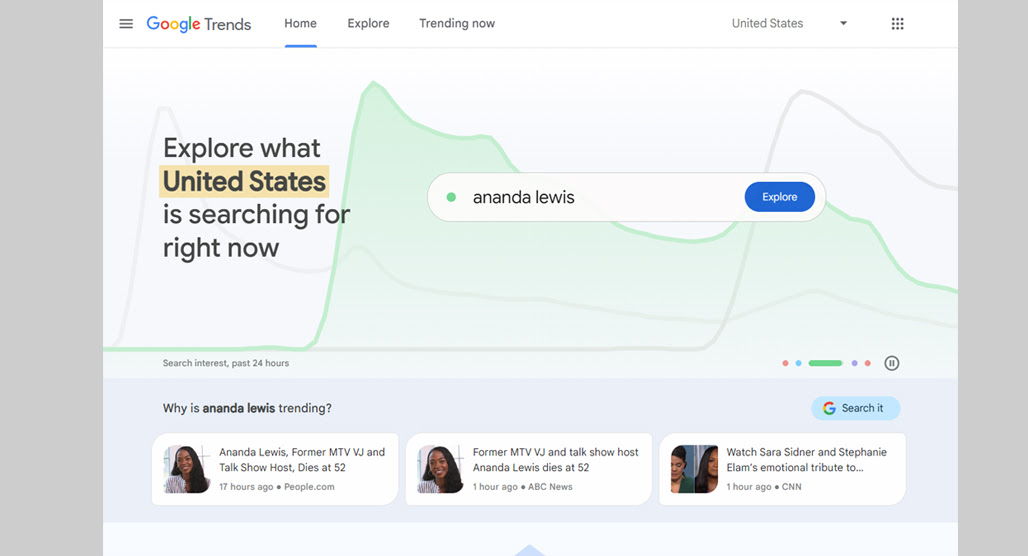
There's one significant drawback to Google Trends, though, and that's the fact that it has existed as long as it has, specifically as a free tool. That means just about every marketer uses it, and to get any insight from it beyond the basics, you need to up your game and take things beyond the basics.
What data does Google Trends give you? Broadly, it's divided into two sections.
Google Trends Explore Tab
The first section is the Explore tab. This tab starts by giving you a search box and also gives you two boxes of info. The first box is "search topics," which are general topics people are searching for. They aren't specific keywords, though; you'll see entries on the list like "Internet meme - Topic" and "ChatGPT - Computer program," along with a percentage that the interest has changed over time recently.

The second info box is search queries, which are the more specific queries, like "iPhone 16" and "election results" that can show up. These are recently trending search queries people are making. It's not always useful - for example, one of the trending search queries when I checked while writing this is just a quotation mark - but some of the information can be useful.
You can also type in any search term you want here and see the trend. You can filter the information by geographic location, time, topic category, and even type of search (web, image, news, YouTube, or shopping).
When you explore a single term, you are given an "interest over time" chart that shows you rises and falls in search interest for that query over the timescale you've selected. Something like "Christmas Decorations" gives you a stark picture of a seasonal keyword, with surges beginning in September, peaking in December, and fading off by February to lie dormant until the next September.
Further down, you can see how that keyword's interest is broken up geographically by country and which countries have the greatest level of interest. Then, you get the topics and queries boxes again, but this time, it's topics and queries related to your chosen keyword. If you want to go deeper, there are several methods to scrape data from Google Trends that can help you extract more than the tool shows by default.
Finally, you can compare your keyword with another keyword, or even several keywords, up to five total keywords. When you compare keywords, you get all of the same information for each, except for the related boxes at the bottom.
Google Trends Trending Now Tab
The second major section of Google Trends is the "Trending Now" tab. This is often useful for marketers looking for immediate ideas on what to cover because it shows you search queries experiencing a surge in search volume right now as you search. Platforms like TikTok can also surface trending keywords worth keeping an eye on alongside Google Trends.
This also has filters: geographic area, timescale, category, whether or not the trend is active, and how to filter the trends list (by relevance, recently, search volume, or title.)

For example, here's the page for trends in the United States over the past 48 hours in the health category, sorted by relevance. As of this writing, the trends are things like:
- Mike Beasley, an NBA player who recently hit the news over mental health struggles
- Whooping Cough, a disease
- Kennedy, a disease
- Vaccines, a way to prevent disease
- Shari Redstone, a media exec who recently announced a cancer diagnosis
And so on. All topics related to health in some way, though not necessarily relevant for a health blog unless you were going to newsjack someone's bad news, which I generally recommend not doing. It's pretty gauche to take someone's cancer diagnosis or someone's mental health struggles and try to make a blog post spinning off about it, right? It can be done with sensitivity - an "X person was just diagnosed with Y, but what is Y? Here's our resource" kind of post - but it's tricky and not always valuable.
Any of the trends you find here, you can click on and see more information, like the search volume increase, when the trend started, and the full explore page.
All of this is great, but how do you use it to find seasonal trends early enough to capitalize on them?
Identifying Seasonal Keywords with Google Trends
The bad news here is that you can't use Google Trends alone to find seasonal keywords. What you can do is identify keywords through other sources and use Google Trends to check if they're seasonal or not. Seasonal keywords generally have a set pattern in their trending graphs, which you can use to identify the right time range to start campaigns using them.
For example, a keyword like "running shoes" is not a seasonal keyword, though depending on where you live, there may be more seasonal interest during nicer weather and less during extreme lows and highs. Conversely, something like "Boston Marathon" is seasonal because it's an annual event. It's also an interesting trend to examine because the specific date has changed, but it's still an annual trend (except the year it was canceled due to covid.)

The first step, then, is to generate a keyword list. You can do this using all sorts of different tools, and I highly recommend giving Topicfinder a try as well. Since it gathers data from active competitors, the topic ideas aren't just viable but proven, and they can be excellent opportunities for you to compete in your niche with a little finesse and some good timing.
Once you have that keyword list, you can go to Google Trends and start looking at them. Unfortunately, there's no bulk way to do this without using tools that run the risk of getting you temp-blocked from Google, so I don't necessarily recommend trying them.
What you're looking for are keywords with clear cycles that represent seasonal surges in interest. You can do some initial filtering just by thinking about keywords and whether or not they're likely to be seasonal, though don't be too aggressive - some keywords might have more seasonality than you expect.
When you find seasonal keywords, you can also scroll down to the related topics and queries and comb through them for spin-off ideas. Sometimes, you can find some great examples of secondary keywords here that you can use for cluster content.
How To Prioritize the Keywords You Find
When you locate seasonal keywords, put them aside in a list. You'll want to prioritize them, and there are two ways to figure out which ones you should focus on first.
The first is to take keywords and compare them, looking for the ones with the greatest level of surge in interest. The greater the scale of the surge, the more valuable it will be to target that keyword.
Be aware, though, that the numbers Google Trends gives you are not search volume numbers. It's actually a relative comparison, a variance away from the average search volume of keywords across the board. There's a sort of background radiation average search volume, and when a keyword surges above the noise, it gets picked up on Trends. It's sort of like how there's always low-key seismic activity happening around the world, but surges in it herald an earthquake.
This is also why you want to be narrow with your filters. The background average for the United States is different from the one for Worldwide. Narrower and more relevant surges can be very valuable but are washed away by the greater noise of wider-ranging filters.

The second method of prioritization is timing. It's pretty easy; if you're going to write Christmas content, it's better to get the ball rolling in August than it is in February. You can spend the springtime working on 4th of July posts instead, you know?
By taking your keywords and ranking them by potential value, you can sort them by applicable date and build a priority list.
After this, you can look for additional, more traditional filters:
- Keyword difficulty analysis, to drop the keywords you can't possibly hit or prioritize ones with more chance of success.
- Association with existing content; how well can you produce content that is already backed up by other content, or build a cluster out of dissociated posts?
All of this helps you build a whole roster of seasonal keywords you can target throughout the year.
Using Google Alerts to Find the Best Starting Date
Now that you've used Google Tends and your favorite keyword research tool to identify your seasonal trends, you need to figure out when to publish your content.
One way to do this is to look at Google Trends and guess. The interest graphs show you when traffic starts to surge for a given query, and you can pick a date in that range to publish.

Alternatively, you can create your content whenever you like and hold it as a draft. Set up Google Alerts for the topic, and when you start to see a surge in new publications, you can send yours out as well. This allows you to be near the forefront of the surge. However, since Alerts can only tell you when other people are publishing, you, by definition, can't be at the front of the pack.
Trends tells you what to write about, and Alerts tells you when you publish. All you need, then, is the source data to filter through these Google tools. Topicfinder can do the job, so why not check it out?

Related Posts



Leave a Comment


Fine-tuned for competitive creators
Topicfinder is designed by a content marketing agency that writes hundreds of longform articles every month and competes at the highest level. It’s tailor-built for competitive content teams, marketers, and businesses.
Get Started