How to Use YouTube Autocomplete to Find Untapped Blog Topics
 Written by James Parsons • Updated May 30, 2026

Most bloggers turn to the usual suspects for topic research - Google Keyword Planner, Ahrefs, SEMrush - and end up mining the same data pools as everyone else. That's why so many blogs feel like they're covering the same ground. But there's one research tool that bloggers forget: YouTube's autocomplete feature - it was built for video creators, so most writers never think to use it, and that's what makes it helpful.
YouTube isn't a silo separate from your audience's behavior. Around 40% of U.S. desktop search results already surface video content, which means YouTube's search data reflects genuine, real-time demand. When someone types a phrase into YouTube's search bar, they're signaling what they want to know, learn, or solve. That signal is as helpful for a blog post as it is for a video.
I'll talk about how to use YouTube autocomplete as a research tool to uncover blog topics that are in demand but haven't been beaten to death by every other content creator in your niche. The process is easy, free, and repeatable - and it starts with learning where to look.
Table of Contents
Why YouTube's Search Bar Reveals What Readers Actually Want
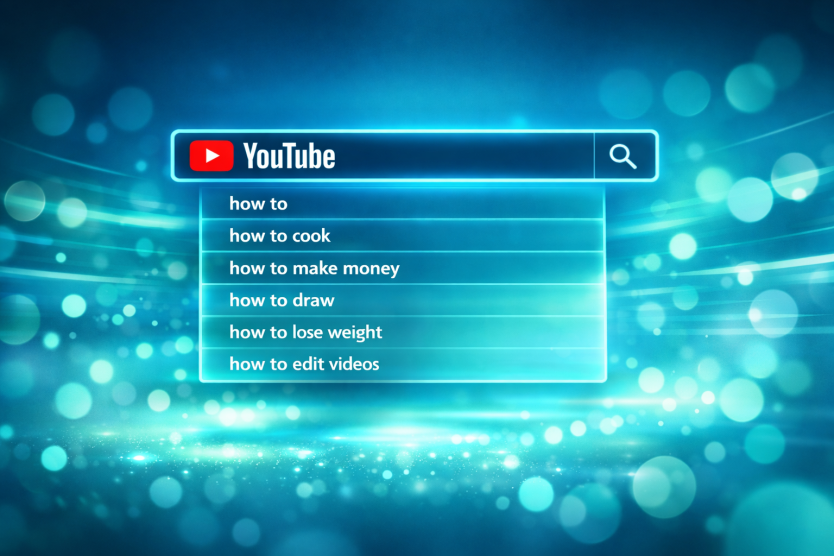
YouTube's autocomplete works the same way Google's does - it fills in the rest of your search based on what you have typed. That matters because you're not looking at a list generated by an algorithm trying to predict market patterns. You're looking at a direct record of what people sat down and searched for.
That's a difference from most keyword research tools. Platforms like Google's Keyword Planner are helpful. But they deal in estimates and averages. YouTube autocomplete will teach you language that people used in moments when they wanted to learn something or solve a problem; it's the data that actually helps you write something they want to read.
YouTube doesn't publish search volume data the way Google does. There's no number next to each suggestion telling you how many people searched for it last month. So for bloggers who want a free look into what's on people's minds, autocomplete is one of the few tells available - and it's more direct than most paid tools.
Consider why someone opens YouTube instead of Google to search for something. Usually it's because they want to watch someone do it, hear it explained out loud, or see a process shown in real time; it's a different intent than a Google search.
And that gap is where the blog opportunity sits. Someone searching YouTube for "how to fix a leaking tap" wants a video - but they might also read a well-written post if it came up in a Google search. The YouTube search tells you the demand is there - it just hasn't been met in written form yet. This is a useful way to find low-competition topics in oversaturated niches.
This is especially helpful in niches where YouTube is heavily used but written content hasn't kept pace. Cooking, fitness, personal finance, DIY home repair - these are areas where video creators have built large audiences around topics that bloggers have barely touched. The autocomplete bar on YouTube lets you see what those audiences are asking about, and understanding the difference between SEO topics and keywords can help you use that data more effectively.
It also helps you write in a way that connects. When you take a phrase straight from autocomplete, you're starting with the words your reader used - not a cleaned-up version of them. That language alignment makes your content easier to find and easier to trust. Readers feel like you're talking to them instead of past them.
The goal here isn't to game a system - it's to start where curiosity already lives and write something that meets it. YouTube's search bar is one of the most accessible places for that, and the next section walks through how to use it.
How to Extract Blog Topics Straight from YouTube Autocomplete
Start with a seed keyword - a short phrase that describes your niche or topic area. Type it into YouTube's search bar but do not press enter. Just pause and read the dropdown list that appears beneath it.
YouTube will show as many as ten suggestions based on what people are actively searching for, and each one is a possible blog topic in its own right. Write them all down before you do anything else.
From there, you can go deeper by modifying your seed keyword slightly. Try adding a single letter after it - type your keyword followed by "a," then "b," then "c" - and you'll get a fresh set of suggestions each time. This takes patience to do manually, but it works and it's free.
If you want to move faster, tools like Keyword Tool for YouTube can automate this process. These tools cycle through letter and number combinations on your behalf and can return hundreds of long-tail variations from a single seed term. That gives you a much bigger list to work with in a fraction of the time.
A Simple Process to Follow
Pick three to five seed keywords that relate to your blog's focus. Run each one through YouTube's search bar and collect every suggestion it returns. Then run those suggestions as new seed terms to go one level deeper.
Paste everything into a spreadsheet as you go. Use one column for the original seed term and another for the suggestion it returned - this keeps things organized once your list starts to grow.
Remember to watch for suggestions that include words like "why," "how to," "for beginners," or "at home." These phrases point to informational intent, which is what a blog post is built to satisfy. A YouTube title framed that way translates almost directly into a blog headline.
Also look at suggestions that include a number, a time frame, or a comparison. Phrases like "in 30 days" or "versus" tell you that readers want something concrete and focused. Those make for tightly scoped blog posts that are easier to write and easier to rank. If you're specifically building out a keyword list for comparison pages, this is a reliable way to find angles worth targeting.
Getting More from Each Search
Do not limit yourself to one version of your seed keyword. Plurals, synonyms, and slight rewordings can each pull up a different set of suggestions. A search for "home workout" will not return the same list as "workouts at home."
Try mixing your seed keyword with a question word at the start. Typing "why," "what," or "how" before your topic tends to surface longer-tail phrases that wider searches miss. These are the ones with less competition and a very defined reader in mind.
Give yourself at least twenty to thirty minutes to run through this process with a handful of seed terms. You will end up with more raw material than you expected.
Filtering Your List Down to Topics Worth Writing About
A raw list of autocomplete phrases feels promising. But most of the phrases will not be worth your time to write about. The goal now is to run them through an easy filter so you only invest in topics that have a basic chance of bringing traffic to your blog.
Start with search volume. A target range for most bloggers is 300 to 5,000 monthly searches. Terms at the lower end of that range are not too small to matter - they tend to draw readers who know what they want, and those readers convert better. Anything above 5,000 gets competitive fast, which leads into the next point.
Pair your volume check with a keyword difficulty score. For newer blogs that have not built up much authority, a score under 40 is a basic line to draw. This does not mean every topic above 40 is off the table forever. But starting below that threshold gives your posts a shot at ranking without needing dozens of backlinks first.
Tools like TubeBuddy and VidIQ, which together are used by over 20 million creators, help you read competition levels on the YouTube side. They show you how hard it would be to rank a video on a given phrase, and that data transfers reasonably well to the blog world too - it's not a perfect overlap. But it gives you a helpful second opinion when a keyword tool alone is not telling the full story.
Before you commit to a topic, ask one more question: does it solve a problem?
Popularity alone is not enough. A phrase might get searched thousands of times a month because it's part of a passing trend, or because it attracts people who are just browsing instead of looking for an answer. Topics that solve a frustration or help get something done hold up better over time, and they are more satisfying to write about too.
It's helpful to consider search intent. Someone typing "how to edit YouTube videos on iPhone for free" is ready to follow steps. Someone typing "popular YouTube videos" is probably just browsing. The first type of phrase is the one you want to build content around.
After you run your list through these filters, you'll probably be left with a smaller set of phrases. That is a good thing. A short list of topics you can rank for beats a long list of long shots every time. From here, you can group related phrases together and plan posts that cover a parent topic instead of spreading thin across too many angles.
Turn YouTube's Rabbit Holes into Your Editorial Calendar

Try batching this research once a month. Set aside 30 minutes, work through a handful of seed keywords and add everything promising to a running list. Don't filter too aggressively at the start - the suggestions that feel oddly specific or fairly niche are usually your best opportunities. Those are the topics with demand and almost no competition waiting for them on the page.
The next step is to open YouTube, type the first seed keyword that comes to mind and see what surfaces. You don't need a system, a spreadsheet, or a perfect plan to start. You just need to look. Chances are, within a few minutes you'll already have an idea worth writing about - and if you want to validate it further, tools like programmatic keyword research can help you decide which ideas are worth pursuing first.

Related Posts


Leave a Comment


Fine-tuned for competitive creators
Topicfinder is designed by a content marketing agency that writes hundreds of longform articles every month and competes at the highest level. It’s tailor-built for competitive content teams, marketers, and businesses.
Get Started