Guide: How to Use RankIQ to Find SEO Keywords
 Written by James Parsons • Updated April 15, 2026

Keyword research is always one of those tedious but necessary tasks that marketers have been searching for ways to streamline for ages. Every year, new tools are released that promise a new way to find useful keywords, and they add to the pile of extant tools already doing the same basic thing.
The advent of AI has kicked this into overdrive, as thousands of businesses present their shell prompt in front of a ChatGPT interface and tell you it's unique data. A few use the LLMs in more novel ways, at least, though it can be hard to tell what you're getting and if it's trustworthy now.
RankIQ is one of the more popular AI marketing tools I've run into recently. How can you use it? Fortunately, it's pretty easy.
Key Takeaways
- RankIQ offers a hand-picked keyword library, content optimizer, and rank tracker, costing $50/month introductory or $100/month afterward.
- The keyword library is organized by niche and sub-niche, manually vetted by RankIQ's owner rather than AI-generated or third-party sourced.
- Keyword gap analysis requires exporting data from Google Search Console separately, as RankIQ has no built-in gap analysis feature.
- Keyword lists are static and shared among all users, meaning competitors in the same niche receive identical data, reducing uniqueness.
- RankIQ lacks a free trial, shows outdated blog content, and limited recent updates raise concerns about the tool's ongoing maintenance.
Table of Contents
What is RankIQ and What Does it Do?
Let's start with a rundown of what RankIQ is and what it does for you.

For this, I can let them speak for themselves:
"Our one-of-a-kind SEO toolset is built just for bloggers & businesses that run a blog. It tells you what to put in your post and title, so you can write perfectly optimized content in half the time. We also have a hand-picked library of the lowest competition high traffic keywords for every niche."
So, it has content auditing features to give you ways to revamp and improve existing content, it has AI-generation features to create blog outlines and metadata for you, and it has analytics to track your performance and ranking after you start using it.
The platform costs $50 per month as an introductory offer, and $100 per month when that offer ends.
Oh, and even though I threw ChatGPT under the bus in the intro, RankIQ doesn't use it. Reportedly, they actually use IBM's Watson, though I'm not able to find a direct reference to that from a first-party source, so take that with a grain of salt. What's interesting is that Watson is more of a data-centric AI instead of a purely generative LLM, so while it can give you basic outlines and meta information, it's not going to write a whole blog post for you.
Since keyword research is the topic du jour, that's where I'm going to focus today. They claim to have a hand-picked database of high-value, low-competition keywords, so how do we tap into that database ourselves? After all, high-traffic, low-competition keywords are the gold we all pan for with our keyword research efforts.
How to Use RankIQ to Find SEO Keywords Step by Step
The good news is, it's not a difficult process to find keywords to use on your blog. The bad news is, they might not be all they're cracked up to be, but I'll get to that later on.
Step 1: Create a RankIQ Account
The first thing you need to do is register for an account. Unfortunately, RankIQ doesn't have a free plan or even a free trial. Right now, while the app is on a discount for new sign-ups, you're looking at $50 to get started. If that's acceptable, click here and start the process. You'll need basic information and your financials to pay, but that's about it to start.

If you find other guides to RankIQ, they'll talk about different tiers and plans, but for now, those seem to have been removed, and there's only one option now.
Step 2: Explore the Tool
RankIQ has a few tools you can use. The rank tracker is obvious, but the other two can use an overview.
First is the content optimizer. This is the AI-powered content analysis feature. You provide a link to a piece of content you've published or a copy of content you're getting ready to publish, it scans the content, and it gives you ideas for optimization.
This basically works by identifying the primary keyword your post is targeting and recommending related sub-keywords that can enhance the post in the eyes of the search engines.

The second is an optimization checklist. This is a fairly generic but useful checklist that helps keep you on track and make sure you're doing all of the things you should be doing to give the content the best possible chance at success. This even includes some metrics like word count you should target, which can be handy.
The real gold we're looking for is the keyword lists, though, so let's dig into those.
Step 3: Run a Content Opportunity Report
To actually start digging into keywords, you need to go to the keyword library.
This starts out fairly normal as a topic list. You can browse various overall niches, things like food and travel. Each niche will tell you how many keywords are in that niche in the system, usually tens or hundreds of thousands for the overall niches.
From there, you drill down into the sub-niche (or choose the primary niche if you want.) Sub niches might be things like "Food: Beef" or "Food: Air Fryer", to give you an idea. These will still have hundreds or thousands of keywords in them, but are obviously much smaller than the niche as a whole.

Notably, these aren't AI-generated keyword lists, nor are they keyword lists pulled from random third-party tools. These are keyword lists created using manual keyword research and vetted by the owner of RankIQ directly. In fact, if your blog is in a niche that isn't covered by the tool, you can message them, and they'll do the research and add a new list just for you.
Most of the common niches are already covered, so that's unlikely to happen these days, but it's possible if you're in a small or unusual niche.
Step 4: Filter the Keyword List
Once you've chosen an overall keyword list, you can filter it. Filters include things like keyword competition, estimated time to rank, and annual traffic for the keyword, along with some basic metrics like DA.
The goal is to cut out keywords that:
- Have much too high a level of competition for you to be able to rank for the topic at your blog's current level.
- Would take much too long to rank so it's not worth covering now.
- Have too little traffic to be worthwhile for you to target.
You know, basic keyword filtering stuff.
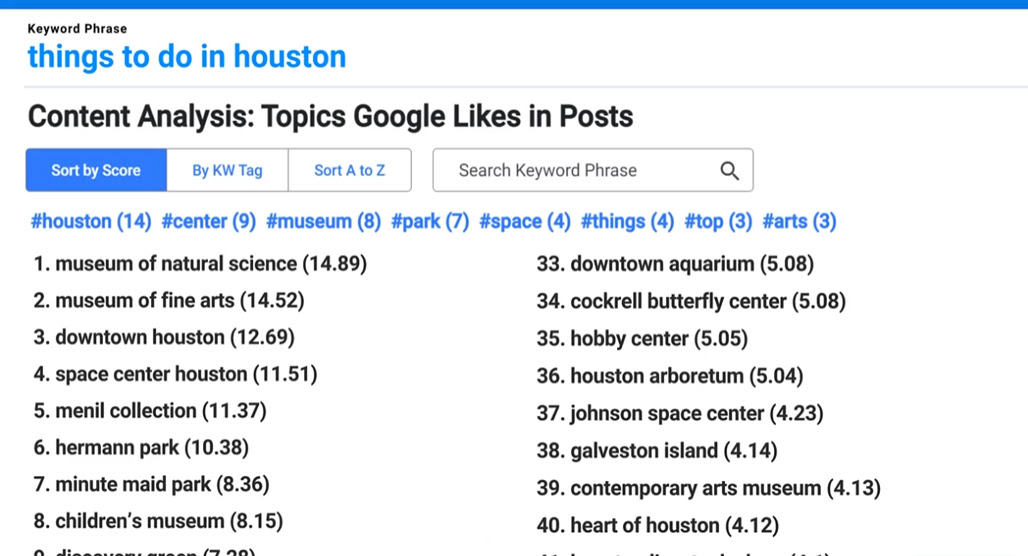
Once you have a narrowed-down list, you can go through it and start adding keywords to your personal keyword list. It's just a click of a button to add them.
This is where you do a sniff test for the keywords. Some will be relevant and great, so add them. Others might be a little off-base or off-target, either for your site or for your niche. I've seen some odd keywords show up in these lists, but it's at least easy to ignore them.
Look for keywords that:
- Fit within the kinds of topics, perspective, and overall marketing you're doing with your blog.
- Have a clear or clear-enough search intent that you'll be able to write focused content for them.
Don't worry about whether or not you've already covered the topic on your site unless it's obvious. We'll filter that next.
Step 5: Run a Gap Analysis
Unless you're using RankIQ to spin out a new branch or new site entirely, you already have some content, likely based on keyword research you already did in the past. To avoid covering the same ground and cannibalizing your own work, you should do a keyword gap analysis.
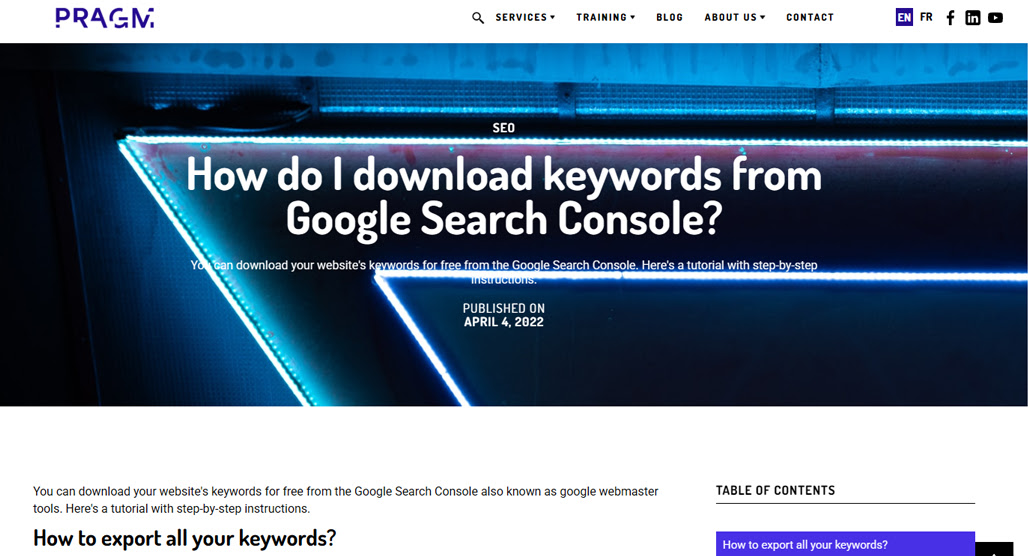
Unfortunately, you can't do this within RankIQ. You'll need to go to your Google Search Console and export your keyword data, export the RankIQ keyword list, and compare the two.
Any keywords your site covers that RankIQ doesn't can be filed away for another time.
Any keywords RankIQ suggests that your site doesn't already cover are ripe for fresh content.
Any keywords that overlap are an opportunity to use RankIQ's content optimizer to take a look and give you suggestions. You might be able to improve a good portion of your content with the suggestions the tool gives you. Since that's not just about finding the keywords, though, I'm setting that aside for another time.
Step 6: Run Keyword Reports
Now that you have your narrow list of useful keywords you haven't covered, it's time to run individual keyword reports and get the data you need to actually use the keyword effectively.
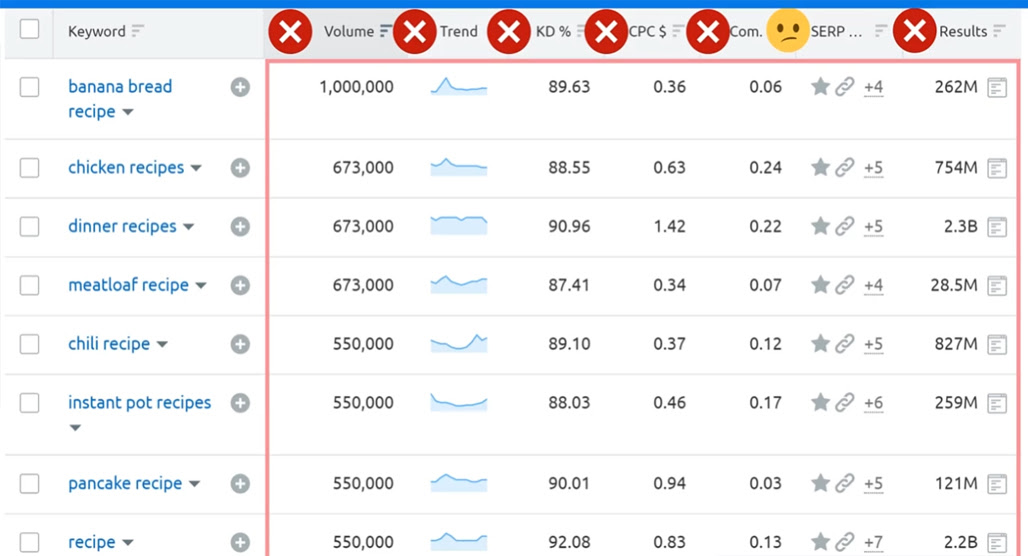
The keyword report for a given keyword will include useful data like search volume, competition, and relevance. You'll want to go through and pull this data for each of the keywords, so you can track it all and build a priority order for covering them.
You'll also use this time to look at the top-ranking pages for the keywords and figure out how you can produce content that can out-rank those pages. Sometimes the metrics believe the actual challenge of a keyword, so it's always worth taking a look yourself and seeing if it's actually as doable as it seems.
Step 7: Create Your Content
RankIQ can give you some starting points for creating content, and will give you a great checklist of things to do. In particular, it can tell you what side keywords you would incorporate into your main post, as well as ideas on how to structure your content, how long to make it, and more.
Again, since RankIQ isn't an LLM, it's not going to create a whole post for you. I still recommend manually writing your content; it really does stand out as more valuable in the modern internet.
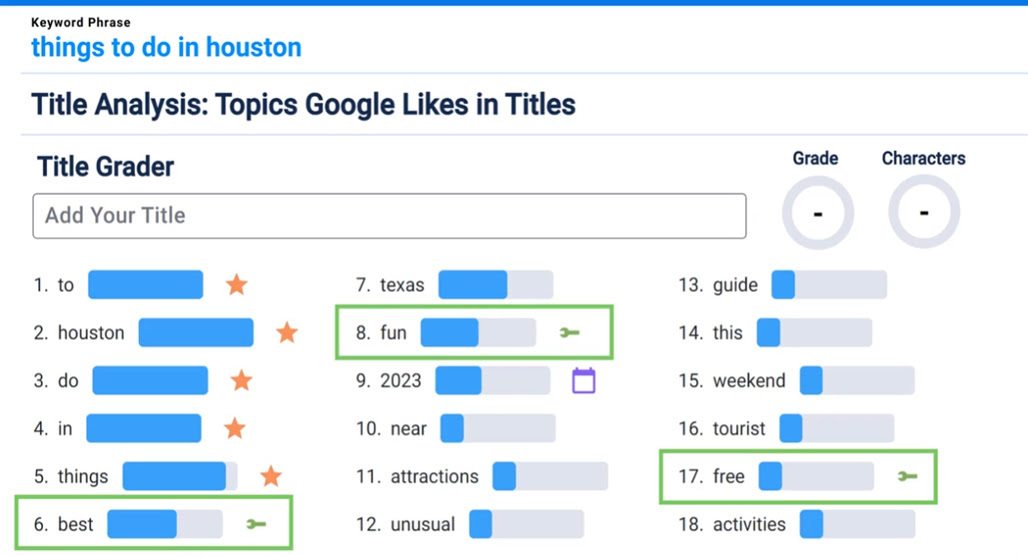
As someone who has been writing content for over a decade, I don't think most of the RankIQ suggestions are truly novel or unique. Things like recommended word counts are fine, but a lot of the tips are things like "use X keyword in your subtitles," and that's just content writing 101.
So, that's that. RankIQ gives you keywords and content creation suggestions, and leaves you to it. You can use their rank tracking and analytics, but you probably have other rank tracking and analytics already, so that's not unique.
Is RankIQ Worth Using?
This is the big question, and the answer is… I'm not sure.
RankIQ certainly has some benefits if you're in a moderately common niche and need good keywords, decent analysis, and ideas on how to create content. The content creation tips are also pretty solid for beginners, but I don't find them particularly impressive as someone who has been a pro at this for years.
RankIQ promises gold with hand-picked keyword lists, but there's a problem with that. How updated are those lists? How good are they?
The owner of RankIQ knows his stuff; that much is undeniable. He's built several blogs from the ground up to prove it.
But this is very much a case of selling shovels in the gold rush. If his keyword lists were ultra-valuable, he wouldn't be selling them for $50.

I've found that, while they have a lot of keywords in them, they also have some problems.
- The lists aren't updated all that often. Evergreen keywords are great, but they're only one half of a keyword strategy, and you won't be using this tool to find trending or hot new keywords.
- Some keywords aren't really relevant. One example I saw was under travel, "when is mother's day in new zealand?" Sure, that could be a real question and could even be worth covering, but it's not a travel topic. It makes me wonder how hand-picked these keywords really are.
- A hand-crafted list means a static list, and a static list means your competitors are getting identical data from it. The more popular the niche (and the more people from your niche using the tool), the less unique and valuable the keywords are.
All of this would be fine if you could sign up for a free trial, get some use out of it, and see how well it works for you before deciding on a paid plan. RankIQ doesn't have that anymore, though, and $50 for a sight-unseen list of keywords isn't what I'd be looking for.
There's also one other big red flag that I have, which is age. RankIQ's homepage talks about its awards and accolades from 2023, their blog posts are pretty old as well, and there's not much coverage about it these days. It makes me wonder just how well-maintained this tool is here in 2026.
Honestly, most of these issues aren't unique to RankIQ. They're common to a lot of keyword research tools, which is actually a big part of why I built Topicfinder in the first place. So, maybe it's a little unfair to hold all of this against RankIQ in particular.
Personally, though, if you have $50 burning a hole in your pocket and you're willing to gamble, I'd say sign up, scrape all the keyword data you can, and cancel before the second month. I doubt it's going to be actively refreshed for you, so that pile should last you a while. You can supplement it with more data from tools like LowFruits later.
I think RankIQ was probably a quite good tool back in 2020 or so, but over the years, it hasn't improved enough to keep up with other tools, and that's probably why it feels a little dusty. Try it if you want, but don't expect hidden gold, just some solid mid-range keywords.

Related Posts


Leave a Comment


Fine-tuned for competitive creators
Topicfinder is designed by a content marketing agency that writes hundreds of longform articles every month and competes at the highest level. It’s tailor-built for competitive content teams, marketers, and businesses.
Get Started