What is Rising Trends and How Do You Use It for SEO?
 Written by James Parsons • Updated April 15, 2026

For a long time, if you wanted to get fast turnaround information on trends in search, you would need to use Google Trends. No one else had the kind of access to data necessary to show you anything close to real-time, after all.
Eventually, social media took on a central role in this form of marketing. As a near-direct tap into the collective psyche of internet users, sites like Twitter especially used trending topic boxes to drive engagement and discussion. Marketers could use those as a jumping-off point for trends.
A downside to this was a lack of data and context. You could see that a given topic was trending, but that was it. You had no context for how long it had been trending, how long the trend was rising and whether or not it was on a downswing, and you couldn't see any sort of contextualization. Some of those trends were as simple as discussing a recent news headline that will be forgotten by tomorrow, or the latest episode of a TV show. Some were even paid for, and weren't really trending at all.
These days, we're a bit spoiled. A handful of companies have sprung up offering deeper trending data, with more useful information for marketers to contextualize trends and decide which ones to follow with their content.
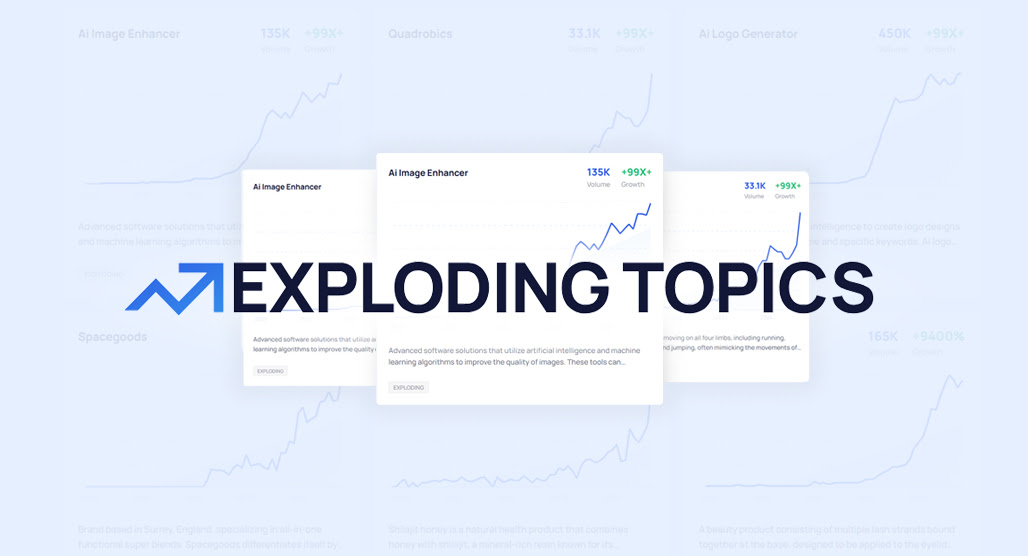
I've covered a few of these in the past. Exploding Topics, TrendFeed, and Glimpse Trends are all competitors in this space.
Today I'm looking into another: Rising Trends. What sets it apart, how do you use it, and is it worth it? Let's look.
Key Takeaways
- Rising Trends is a curated trend data app pulling from Google, Amazon, Reddit, YouTube, TikTok, and X.
- At $97 per year, Rising Trends is significantly cheaper than competitors like Exploding Topics, Glimpse, and TrendFeed.
- Key limitations include weekly data updates, only five years of historical data, and a small 24,000-trend database.
- The tool offers trending websites and apps lists, plus a watchlist feature for monitoring up to 100 topics.
- Rising Trends provides minimal context for trends, requiring users to independently research competition, relevance, and content angles.
What is Rising Trends?
Rising Trends is just what I've described above: a trend data app that shows you topic information and historical data on those topics, to showcase topics that are surging in traffic and interest. It's also one of the hardest to naturally find, because they've chosen a brand name that is overwhelmed by generic information that has nothing to do with their company.
Rising Trends breaks down their service into a handful of tabs in a dashboard, but they're all different ways of showing more or less the same data. You get:
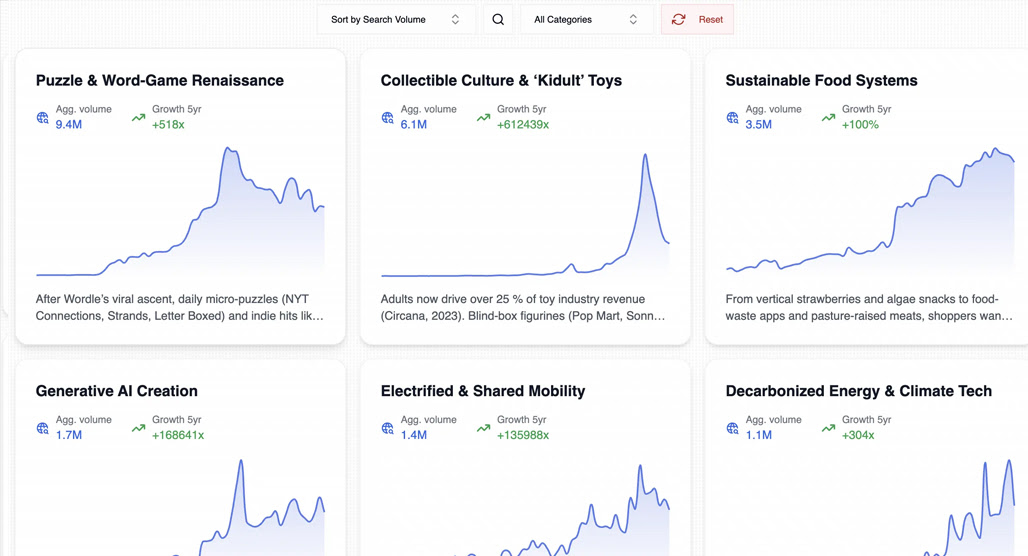
Individual trend data. This is a simple box, the kind you've seen all over; a top keyword like "AI podcast tools", the global search volume for the keyword, the percentage that it has grown recently, and a graph showing the rise and fall of search interest over a recent span of time. There's also a quick summary of the topic if you haven't investigated it before.
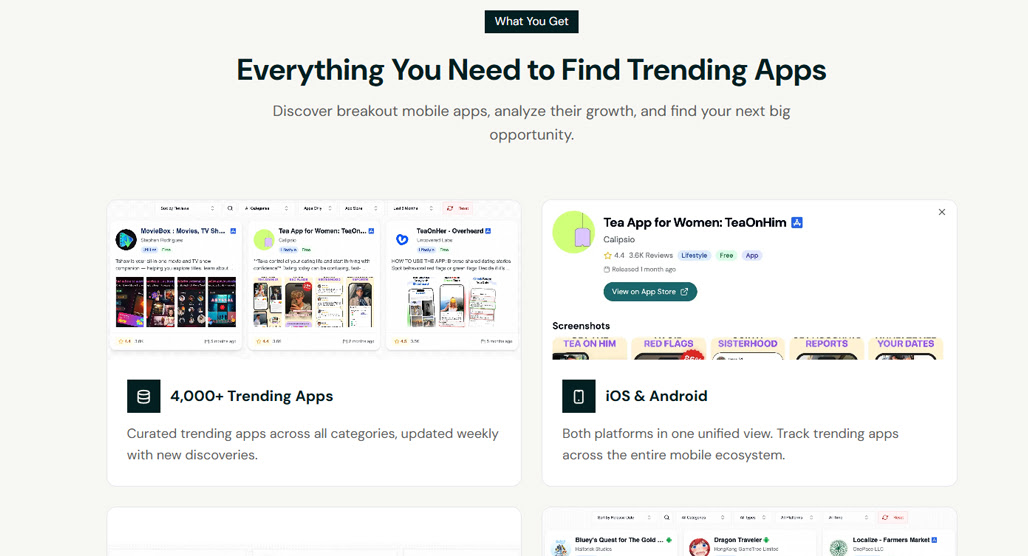
Specific kinds of trending topics. In this case, Rising Trends has "trending websites" and "trending apps," which show you both sites and apps that are shooting up in interest. I don't find these as useful myself, but someone running an ongoing feature of popular new sites or an app-focused site might find it a lot more useful.
You can also add trends to a watchlist. If there are niche-relevant trends that you think are going to increase, but aren't quite there yet, you can choose to follow them and check up on them over time.
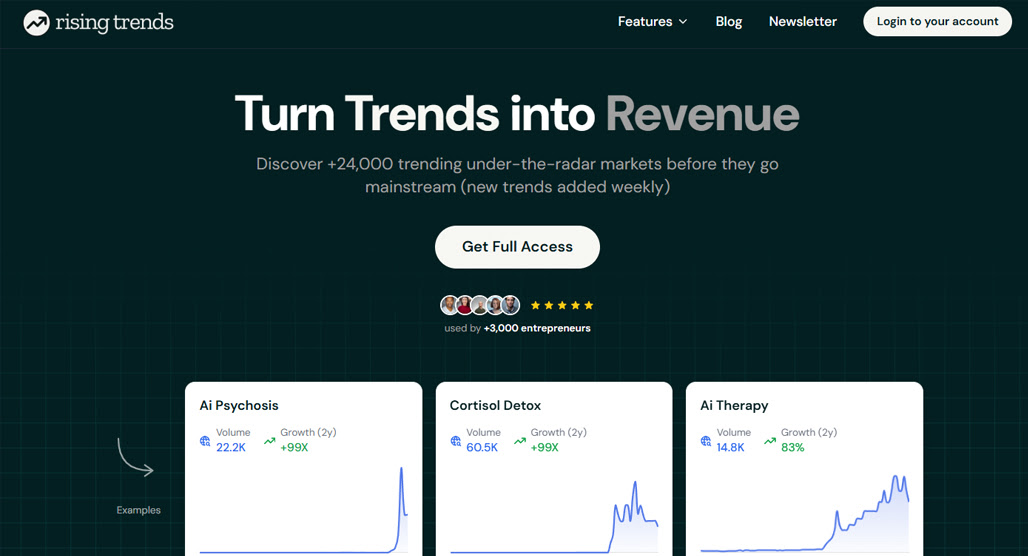
Rising Trends has five years of historical data (which isn't much; Exploding Topics has up to 15 years, and Glimpse has up to 20 in some cases), and pulls data from multiple sources, including Google Trends (of course), Amazon, X, Reddit, YouTube, and TikTok.
Rising Trends also boasts that its database includes 24,000+ hand-curated trends.
While 24,000 can seem like a lot, it's definitely not. But they do allow you to spend credits to submit any keyword for trend analysis, and they'll give you a full report. You get 240 credits per year (though they don't tell you how much an analysis costs; it's 1 credit, as far as I know.)
I'll give Rising Trends one thing: it's cheap. They have one pricing package, for $97 per year (a hair over $8 per month.) In comparison:
- Exploding Topics starts at $40 per month and has plans as much as $250 per month.
- Glimpse has a free extension, but most of the useful features start at $40 per month.
- TrendFeed is a hair higher, starting at $50 per month.
They don't have multiple pricing tiers; it's an all-or-nothing subscription. You can get weekly insights through their newsletter, but for all the real data and features, it's the one annual subscription. Oh, that's another thing: it's only annual, no monthly payment option. Not a big deal for this price point, but worth considering. They do only have a 3-day money-back guarantee, though.
Are There Issues with Rising Trends?
I do have some criticisms of Rising Trends as an app, some of which might end up being deal-breakers for some of you, so it's worth bringing them up.
The first is that, while hand-curated trends are nice, it means there's an inherent limit on their database. 24,000+ trends might sound like a lot, but it really isn't. I can get 24,000 keywords in a day of keyword research, and that's just for one site.
Sure, it's nice to not have a bunch of "trends" that aren't really worth anything or overlap a lot with one another, but it does expose a significant weakness of the platform, which is that they only have data on trends they've chosen. It's very much not a big data platform like Google Trends or something like Ahrefs. It's a lot more tightly curated, which means it might not suit your needs.
Second, and possibly more important, is the speed of updating data. Rising Trends updates its database every week. Weekly. Now, I know that the wheels of content marketing don't turn rapidly for a lot of people, but a lot of very useful trends come and evaporate in a matter of days. A whole trend can take over social media for two days and then disappear, and without seeing it that day, you'd never be able to capture it.
Third, while the trending data can be handy, there's also relatively little context provided for it. For example, the #2 growing real estate trend is "Raleigh Convention Center". Why is this trending? Well, the convention center had a fire and was closed for a month, and just reopened. It got a lot of news coverage because of it. Is that a trend worth targeting? Unless you're in Raleigh, probably not, and if you are, you already know about this. If you're looking for better real estate ad ideas, there are more reliable sources to draw from.
Finally, there's really not a lot to this app. Rising Trends gives you the trending data boxes, and the trending apps and websites are neat, I guess, but it's a far cry from the cluster mapping and deeper historical data and other features you get from the competitors in the space. It's very much the low-cost, low-value version of the idea. Tools like scraping Google Trends directly can give you far more granular and timely data.
Credit where credit is due: the creator of the app does state up-front that it's basically a side project. It's not meant to be a high-end big data business; it's meant to be a little tool they made.
How to Use Rising Trends for SEO
If you're still interested in Rising Trends, it's not too difficult to use.
Step 1: Sign up. You can sign in with a Google account, or have them send you an intro link to any email address. From there, they give you a quick onboarding to show you what the app is about, and then ask you to pay for access. They ask:
- What you want out of the app. Discover new business ideas, find products to sell, discover SEO topics, track mobile apps, or something else?
- What your primary interest areas are. As of this writing, the options are Health & Wellness, Business, Entertainment, Finance, Industrial, Lifestyle & Culture, Home& Garden, Beauty, Fashion & Apparel, Food & Beverage, and Technology. You have to choose two, though.
Then you're asked to pay the full $97 up-front for your year of access. While they do have a three-day refund guarantee, make sure you're ready to make use of the tool immediately, just in case you don't like it and want to cancel. I can't verify how good or not they are at processing refunds or cancellations after that date.
Step 2: Browse trends in your topic. Since Rising Trends is a curated data platform, you aren't relying on doing keyword research here. You just browse your chosen niche and look through the trends that are available.
The good: you can easily see what trends are on the rise, and by how much. Being able to see that one trend is up 80% while another is only up 30% gives you an idea of the velocity of improvement.
Each trend gives you an okay amount of data. The graphs are always handy, the percentage increase in search volume is nice, and the raw search volume is also good to have. There's also an AI-generated summary of information, including a description of what the trend is about.
When you click into a trend, it will also give you some related keyword information and some more AI-generated summary data, such as the "pain points, solution requests, and brand mentions" for the trend. This is mostly scraped from Reddit searches and summarized by AI, so it's… okay, not great, but better than having to do the same research manually.
Unfortunately, that's about all you get. You'll need to do any research into topic clustering, any meaning behind the trends (like the Raleigh thing), and who the competitors for content are, all on your own.
Step 3: Check out the rising websites and apps. The two relatively unique features Rising Trends offers are the trending websites and trending apps lists.
Trending Websites has around 10,000 websites that have been growing rapidly over the last few years. You'll probably never have heard of any of them, since the capacity for growth at that rate requires being fairly low in terms of traffic, but it's an interesting insight into the kinds of new brands and the approaches they take to a topic.
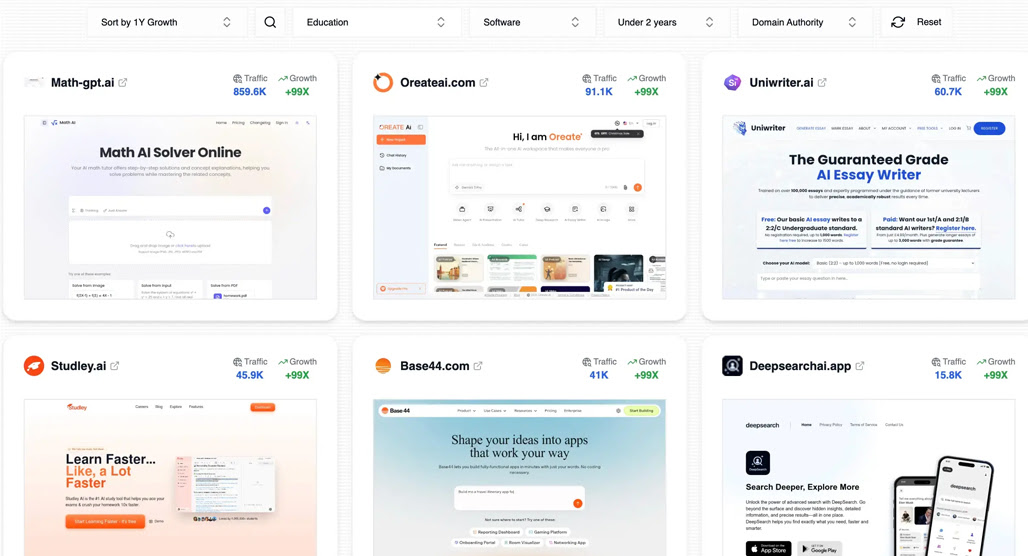
Trending Apps is more useful in my opinion, with around 4,000 apps that are shooting up the app store traffic/sales/volume charts. If you're a website that analyzes apps to recommend, it's a great source of that data. If you're in another space, but think mentioning or reviewing an app could be handy, you can sort them by their niche and browse them.
Each app has data, including download trends, category information, and the release date. It's all stuff just pulled from the app stores, but it can still be handy to find what's spiking.
Step 4: Add some trends to a watch list. Rising Trends allows you to add trends to a watch list, up to 100 of them. This just makes it easy to click into a tab and see the at-a-glance trending information for the ones you're most interested in.
I recommend adding trends you think you'd be interested in, but which haven't seemed to spike yet. If it's a good enough trend, you can just use it now. Honestly, I haven't found much use in this feature since it's weekly updates, but it can be useful enough if you don't retain information of the trends you want to follow.
Step 5: Use your data in your content marketing. This is where Rising Trends ends its usefulness. Since it has relatively little data outside of the trend itself, you have to take the trend and:
- Do your specific keyword research
- Look into why it's trending (validating the AI summary), and if it's something you can capitalize on
- Figure out who the competition is for that trend and how they're covering it
- Find a way to do your own coverage that brings unique value to the trend
- Create the content and publish it
Some of the competitors to Rising Trends make some of this easier by giving you more useful data, but you're still going to have to do most of this yourself, regardless.
Is Rising Trends Worth Using?
That's up to you.
On the one hand, it's pretty inexpensive. Having to pay up-front and not having a monthly subscription you can cancel at any time is a drawback, but at least you get that refund option early on if you really don't like it.
At the same time, it doesn't add a lot that you can't get from Google Trends. The big value add is the curation, and that, to me, actually limits the usefulness of trending data. Rising Trends makes the argument that you need to do keyword research to know what to look for with Google Trends; I make the argument that with Rising Trends, you're relying on them to have done that research to curate for you, and I don't know that I'm going to trust that.
I say, give it a shot, but be prepared to try it and cancel within a day or two; otherwise, you might need to jump through a hoop or two, or write off your hundo. The other enhanced trend data tools out there have a lot more utility, even if they cost more to access.

Related Posts


Leave a Comment


Fine-tuned for competitive creators
Topicfinder is designed by a content marketing agency that writes hundreds of longform articles every month and competes at the highest level. It’s tailor-built for competitive content teams, marketers, and businesses.
Get Started