How to Use Google's People Also Search For (PASF) Data for Topic Ideas
 Written by James Parsons • Updated April 28, 2026

People Also Search For, or PASF, appeared in Google Search results in 2018. You have almost certainly seen it without paying much attention to it. When you click a search result, then go back to the results page, a small box expands beneath that listing showing a cluster of related search terms. Those terms are not random suggestions - they are patterns Google has identified across billions of user sessions, representing what people like to look up next after looking for something like your original query.
That distinction matters. PASF is not keyword research software making educated guesses - it's Google surfacing its own behavioral data in plain sight, for free, on demand, for any topic you want to learn about. Most content strategies overlook it in favor of paid tools, which means the teams that do use it have a genuine edge when building content that matches how people actually think and search.
This guide will walk you through how to use PASF data deliberately and systematically to generate topic ideas that are grounded in search intent. Before getting into the steps, it helps to know what is actually happening when Google surfaces those suggestions - which is where we will start.
Key Takeaways
- PASF appears when users return to search results after clicking a link, revealing real behavioral gaps from billions of Google user sessions.
- Each search result has its own unique PASF set, giving you multiple clusters of related terms from a single query.
- The Keywords Everywhere Chrome extension automates PASF collection and adds monthly search volume data, making large-scale research significantly faster.
- Group similar PASF terms into single topics rather than separate posts; only split them when they lead to meaningfully different answers.
- Recurring PASF terms across related queries signal natural content cluster opportunities, showing which subtopics genuinely belong together.
Table of Contents
What Google's PASF Feature Actually Does (And Why It Appears)
PASF stands for "People Also Search For" and it shows up as a small box of related search terms below a Google search listing. It doesn't appear on every visit - Google tends to show it when a user clicks a result and then comes back to the search page, which signals that the result didn't answer what they were looking for.
That behavior is worth mentioning. Google is basically flagging that the original search left something unresolved and giving related terms that other users searched for in the same situation. These aren't keyword suggestions Google invented - they come from search patterns.
The number of keywords you see can depend on the device you're using. Desktop shows six related terms per result and mobile shows four - it's a small difference but worth knowing about if you're looking to collect this data manually across different devices.
The part that makes PASF helpful for topic research is that every result on a search page has its own PASF set. One search query gives you access to a large number of related terms across multiple results. The keywords attached to the first result won't always match the ones attached to the fifth result.

Each set reflects what users searched for next after engaging with that particular page and finding it lacking. PASF gives you a window into unmet needs - the gaps between what a page covers and what the reader actually wanted to know.
If users search for a related term after visiting a page on a topic, that related term likely deserves its own focused treatment. This is closely tied to understanding parent topics and how they shape SEO.
PASF data sits closer to user intent than other keyword research inputs.
The next section walks through how to find and pull PASF keywords from Google Search so you can start building topic ideas from them.
How to Find and Pull PASF Keywords From Google Search
The process is easy. But there's one step that trips people up. PASF results don't appear when you run a search. You have to click on one of the search results, go to that page, and then hit the back button to return to the SERP. That action is what triggers Google to show the PASF box.
Once you return to the search results page, scroll down toward the bottom. You will see a section labeled "People also search for" with a set of related keyword suggestions underneath it. These are your PASF results.
To make this concrete, try looking for something like "content marketing strategy." After you click a result and come back, Google will surface related terms like "content marketing plan," "B2B content marketing strategy," "content marketing examples," and a few others- it's not unusual to get eight or more topic ideas from a single search this way.
One thing worth flagging here is the difference between PASF and "People Also Ask." They serve different purposes. "People Also Ask" shows question-based queries and appears near the top of the SERP. PASF shows related search terms and appears at the bottom after you click away and return. Both are helpful. But they are not the same feature.

The best way to document what you find is to keep a running list as you go. Open an easy spreadsheet and record the original search term alongside each PASF result it generates- this gives you a reference you can come back to when planning content.
You can also go deeper by treating PASF results as new seed terms. Take one of the suggestions Google surfaces, run it as a fresh search, click a result, go back, and see what PASF keywords appear for that term- each round can generate a new batch of related topics that sit close to your original subject but might cover angles you had not considered.
The manual strategy works for smaller research sessions and gives you a feel for how Google groups related topics together. That said, doing this at scale takes time. The next section covers a tool that makes it much faster to collect PASF data without clicking through searches one by one.
Using Keywords Everywhere to Scale Up PASF Data Collection
Manual collection works. But it slows you down fast when you're researching more than a handful of topics. Keywords Everywhere is a Chrome extension that removes most of that friction by pulling PASF data automatically while you search.
Once you install the extension and activate it with a free API key, it runs quietly in the background. Every time you do a Google search, it overlays keyword data directly onto the results page. You don't have to open a separate tool or copy anything across - the data just appears alongside your search results.
The helpful part is that it shows monthly search volume for each PASF keyword, pulled from Google Keyword Planner. So instead of just seeing a list of related terms, you can see which ones are actually searched for in actual numbers. That changes how you prioritize topics.
For content teams taking care of large clusters of topics, this is a genuine time-saver. One person can work through dozens of seed keywords in the time it used to take to manually expand a few. You still do the same research - you just do quite a bit more of it in the same window.
The workflow itself is easy. Search for your main topic, scroll down to the PASF section and the extension has already done the work and each related term comes with its search volume and a few other metrics. The data can be exported with one click which makes it easy to bring into a spreadsheet for the next stage of your process.
Keywords Everywhere uses a credit system and each keyword you look up costs a small number of credits and you buy credits in bulk. For most content work, the cost is low enough that it doesn't get in the way. But if you're running hundreds of searches a day, it's worth being aware of how credits add up so you don't run out mid-project.
The bigger benefit here is speed combined with consistency. When you collect PASF data by hand, you choose when to stop. With the extension running on every search, you collect more data without having to make that call each time. That produces a fuller picture of what your audience is actually looking for around any given topic.
How to Turn Raw PASF Keywords Into Actual Content Topics
A spreadsheet full of PASF keywords is helpful. But it's not a content plan yet. The work is to look at those raw terms and decide what they mean for your site.
Start by grouping keywords that share the same underlying question. Take "content marketing strategy" as a seed keyword. PASF results might return terms like "content marketing plan", "content marketing framework", and "content marketing roadmap". Those three terms are practically the same topic with different labels. Lumping them into one post makes more sense than writing three near-identical posts.
Other PASF terms from that same seed will point in a different direction. You might see "content marketing examples", "content marketing for small businesses", or "how to measure content marketing ROI", and each of these has a different focus and a different type of reader behind it. Those are the ones worth separating out as standalone topics.
A way to test this is to ask yourself what a reader actually wants to walk away knowing. If two keywords lead to the same answer, they belong together. If they lead to different answers, they probably deserve their own page.
Once you have your groups, check what you have already published. Some PASF topics will map onto existing articles, and that's a good thing - it means you have a chance to strengthen what is already there instead of starting from scratch. Look at whether the existing content answers the question or just skims it.
The gaps you find are your opportunities. If a PASF term is appearing across multiple seed keywords and you have nothing published about it, that pattern is worth noting - it suggests the topic has broad relevance and isn't tied to just one entry point on your site. Tools that help with keyword grouping and clustering can make this process faster when you're working with large sets of terms.
At this stage, you are not trying to write anything yet. You are building a list of candidate topics grounded in what people search for. Some of the candidates will be strong enough to act on right away, and others are going to need more thought before you follow them. The next section walks through how to separate the two.
Deciding Which PASF-Driven Topics Are Worth Writing About
Using PASF to generate topic ideas will probably leave you with more ideas than you can realistically write. That is a good problem to have. But it still needs solving. The goal here is to narrow that list down to the topics that are actually worth your time.
Start by asking if a topic is legitimately relevant to your audience. A keyword can have search volume and still have nothing to do with what your readers need from you. Relevance to your audience should always come before raw numbers - chasing volume is one of the fastest ways to produce content that ranks but never converts or builds trust.
Next, you should think about if a topic supports a goal you already have. That goal could be to draw new readers, to support a product page, or to answer a question your existing audience is asking. If a PASF topic does not connect to at least one of those things, it's worth setting aside.
Not every PASF keyword needs to become its own standalone post. Some topics are better placed as a section inside something you have already written or as an FAQ at the bottom of an existing page. Ask yourself if a topic has enough depth to carry a full post on its own. If the answer is no, that's helpful information - it tells you where the idea fits instead of whether to use it at all.
An easy way to filter your list is to run each topic through three quick questions. Does it match what my audience is looking for? Does it connect to a goal I have? Does it have enough substance to be helpful? If a topic gets a yes on all three, it goes to the top. Two out of three means it might work as a subtopic. One or less means it can wait. If you need help filling your queue, you can also browse free blog post ideas and article topics to spark new directions.
| Topic Passes | What To Do With It |
|---|---|
| All three filters | Prioritize as a standalone article |
| Two out of three | Add as a subtopic or section in existing content |
| One or fewer | Save it or set it aside for now |
Building a Content Cluster Strategy Around PASF Patterns

When you run PASF searches across a few related queries, you start to see the same subtopics coming up again and again. That repetition is a signal worth paying attention to.
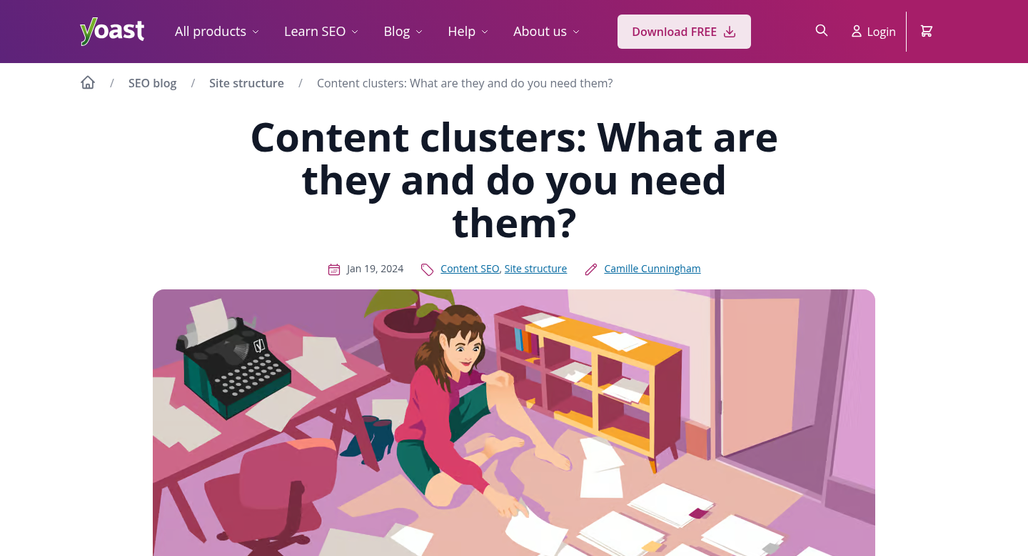
That is how content clusters form. A content cluster is a group of pages on your site that all relate to one main topic and link to each other. One page acts as the main center - covering the broader topic - and the other pages go deeper on each subtopic. You don't need to get into advanced SEO theory to make this work; the structure itself is what matters.
Say you run a site about home coffee brewing. You search a few different queries and start seeing PASF results around grind size, water temperature, and brew ratios. That pattern tells you these subtopics belong together. Your center page might cover home brewing in general, and then each of the subtopics gets its own dedicated page that links back to the center and to each other.
The benefit is that visitors who land on one page can find the next relevant page without going back to a search engine. That internal path keeps readers on your site longer and helps search engines understand how your content fits together.
PASF makes this process easier because it aligns with search behavior. You are not guessing at what subtopics to write about - the data shows you what people actually look up next. Build your clusters around those patterns and you end up with content that matches how your audience thinks about a topic. Understanding the difference between SEO topics and keywords can help clarify why this cluster-based approach works better than targeting isolated terms.
It is worth checking if your existing content already aligns with this. Look at what you have published and check if the pages that belong together are actually linked. A lot of sites have related content scattered across pages with no connection between them.
If you find gaps, PASF helps you fill them. Run searches on your existing topics and look at what comes up that you have not written about yet. Those missing pieces are where a content cluster starts to feel complete to readers and search engines. Tools that let you analyze gaps in search results can speed up this process considerably.
The next section pulls everything together into an easy action plan you can start working through immediately.
Your PASF-Powered Content Plan Starts With One Search
You don't need to overhaul your entire content strategy to get started. Pick one keyword you already rank for or want to target, run the search and see what PASF surfaces. That single round of data gives you a handful of tightly connected topic ideas that support your main piece and keep readers moving deeper into your site.
The best content ideas aren't buried in expensive research tools or locked behind paywalls. They're already sitting on Google's results page, hiding in plain sight. All you have to do is look a little further down the screen.

Related Posts



Leave a Comment


Fine-tuned for competitive creators
Topicfinder is designed by a content marketing agency that writes hundreds of longform articles every month and competes at the highest level. It’s tailor-built for competitive content teams, marketers, and businesses.
Get Started